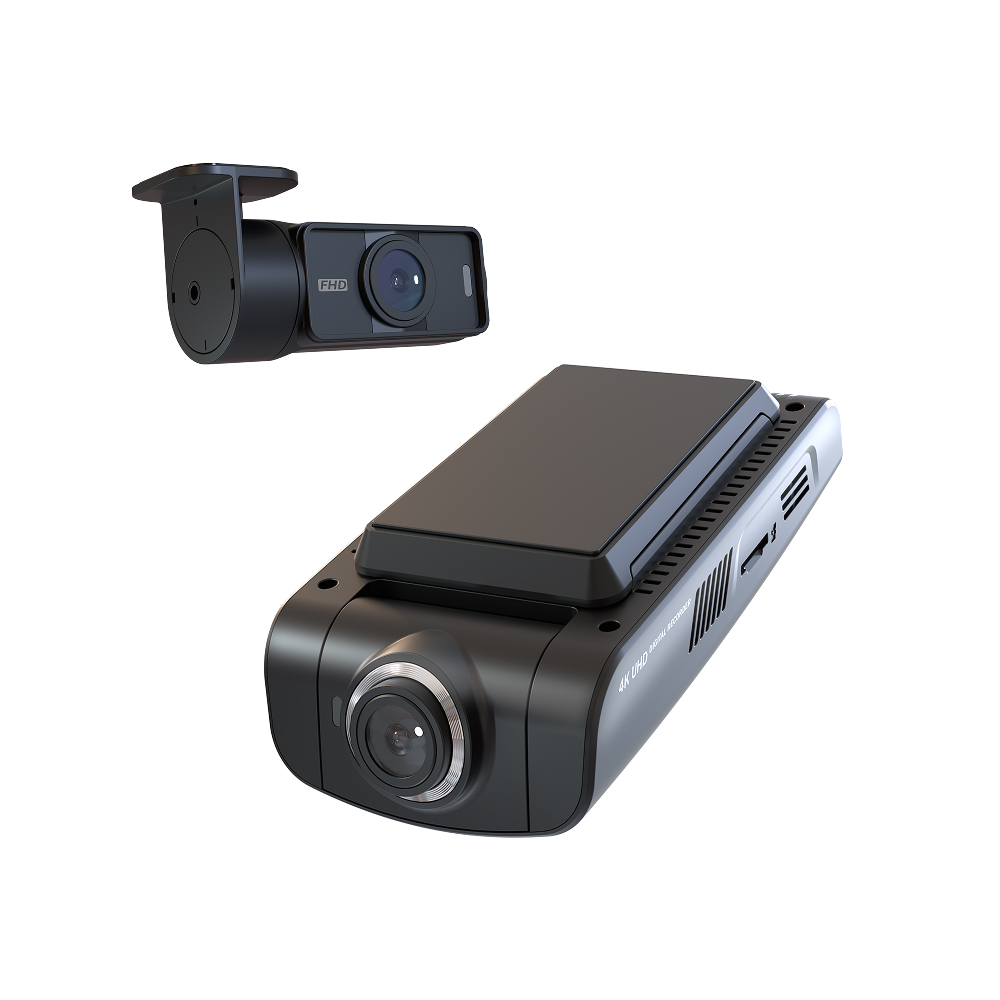
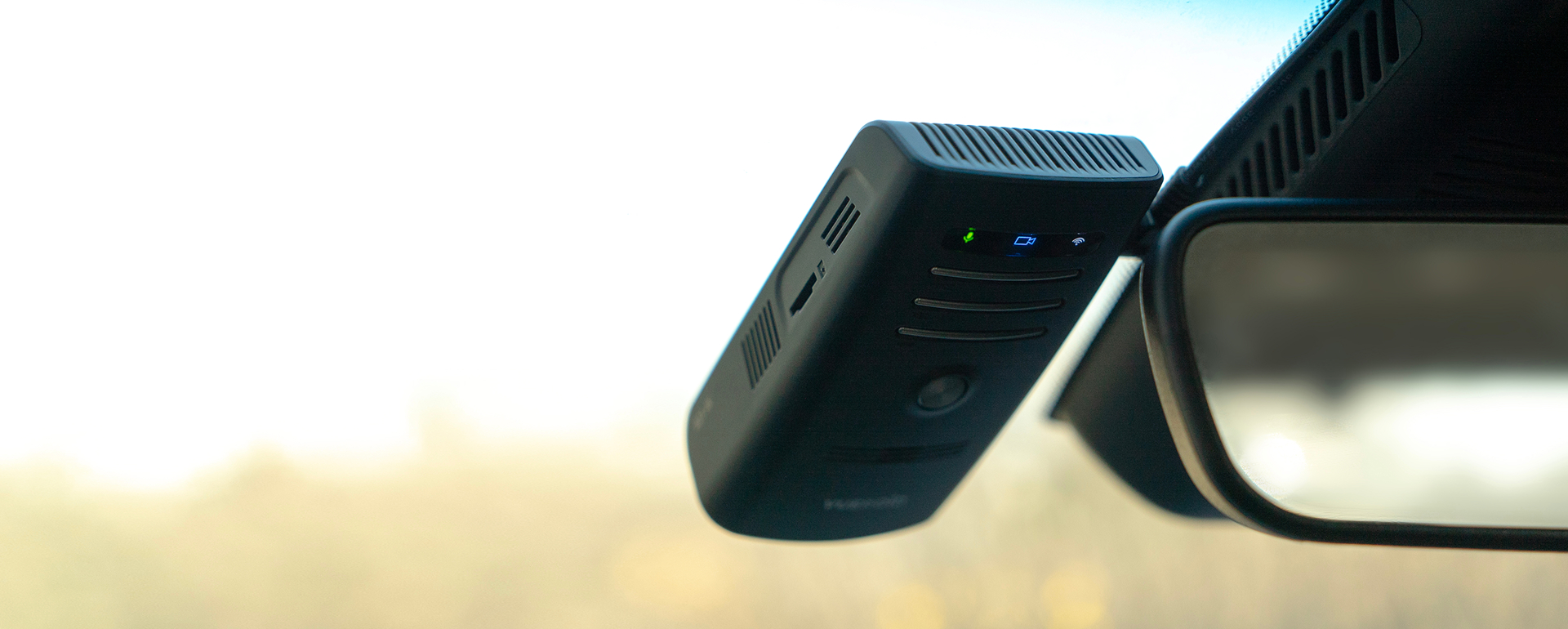
D21 4K 2CH
Out of stock
The Hawkeye 20/2D21-4K

Unparalleled Detail.4K 30FPS.STARVIS 2.
The powerful combination of 4K and STARVIS 2 brings video details to life, perfectly capturing every moment.

+
Make Invisible to Visible.
4K HDR
Keep images visible in extreme brightness conditions.
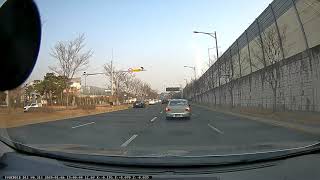
VUEROID HDR Technology delivers clear and vivid videos in any driving environment and helps capture every detail of the scene even in extremely high brightness.
Ultra Night Vision
Securing the light sources,
reproducing the optimal color.
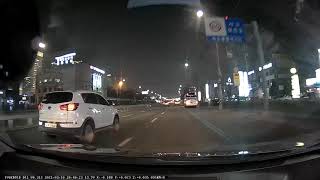
Ultra Night Vision is designed to enhance the recognition of surroundings around vehicles in extremely low-light conditions.
To achieve this, elements associated with brightness, including exposure’s shutter and gain control, gamma, and black level, are meticulously optimized for the attainment of vivid and clear picture quality.
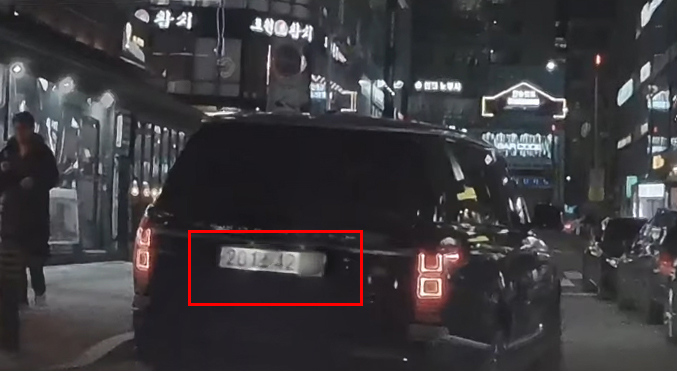
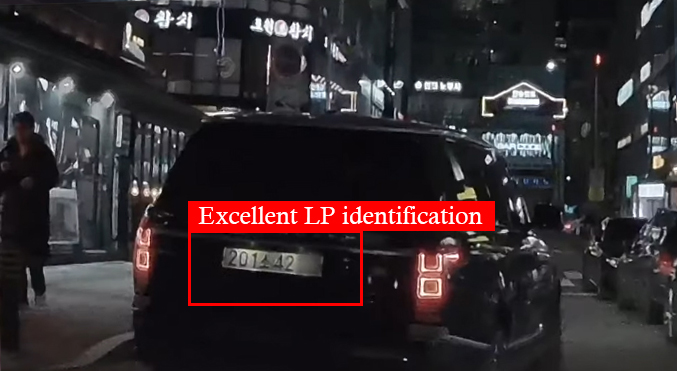
Enhanced License Plate Clarity.


+
Deliver Longer Parking Mode.
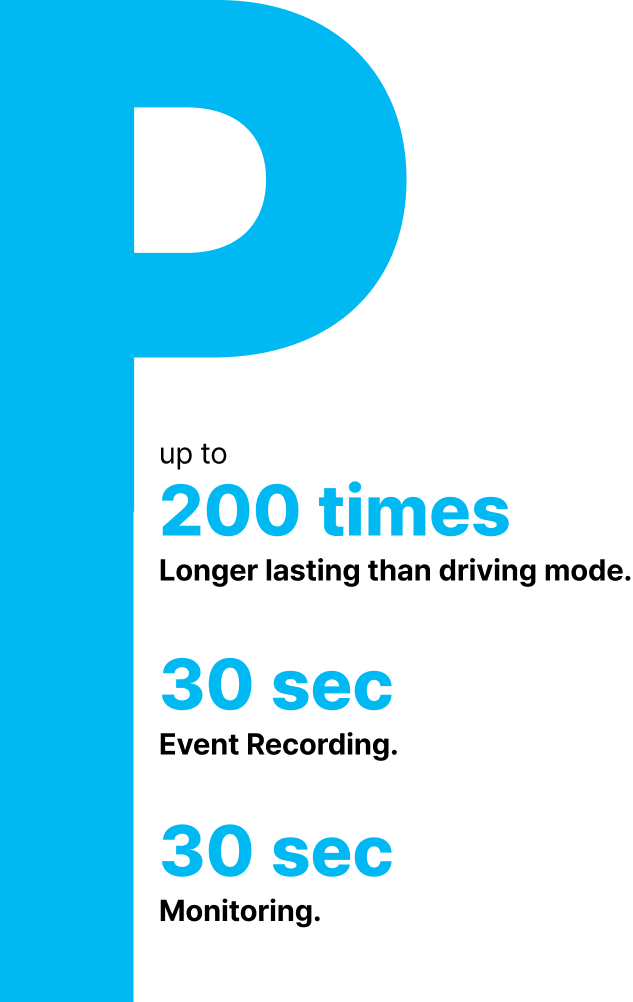

The power saving mode consumes a minimal current of 2mA, reducing power consumption by 200 times compared to continuous recording. This allows for extended parking surveillance without significantly affecting the vehicle battery.
In this mode, the system enters standby mode and quickly wakes up upon detecting an impact to start recording. After recording, it monitors for additional events and then re-enters standby mode, ensuring critical moments are captured while consuming minimal power.
+
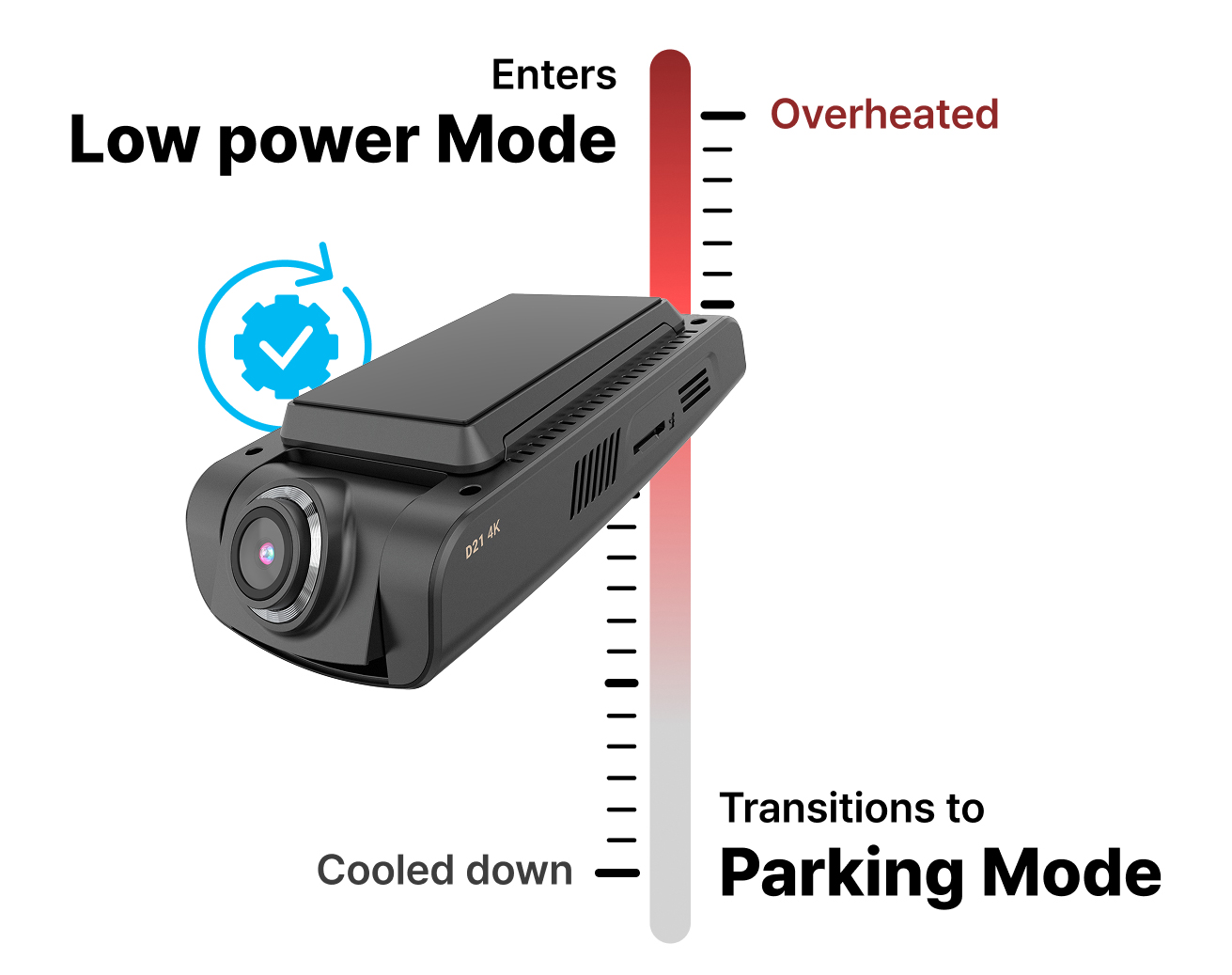
Designed to Withstand Extreme Temperatures.
+
Recording Only When It Matters.
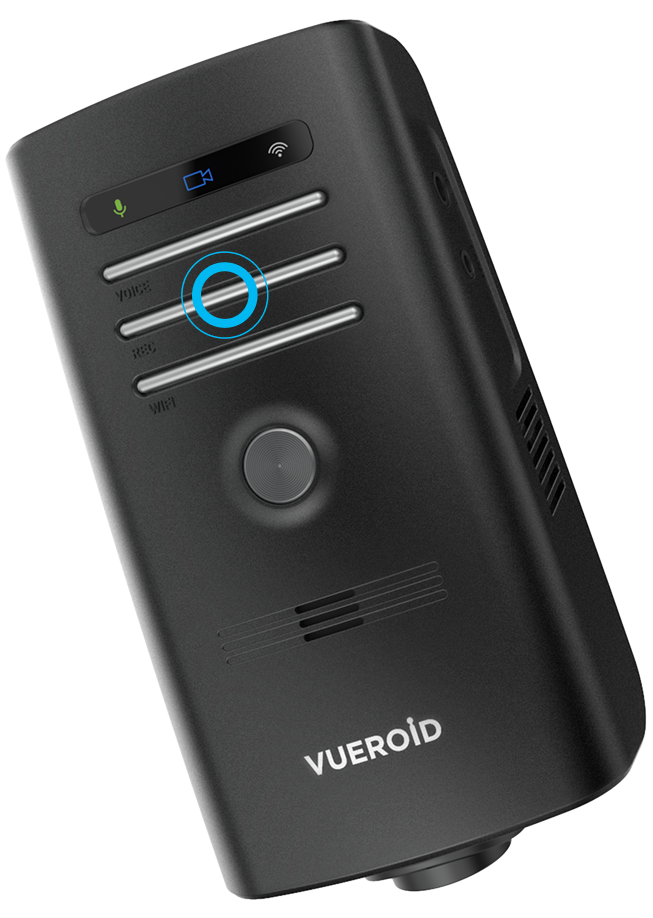
D21 4K addresses privacy concerns with flexible voice recording modes: MIC on/off, Event only, and Event+Motion.
In an accident, recording activates instantly to capture critical sounds.


Can’t leave out the Detail.

Quick and Easy
File Transfer
With dual-band 2.4/5GHz Wi-Fi connectivity, you can easily and quickly download the footage you need directly to your device.

Software
Updates
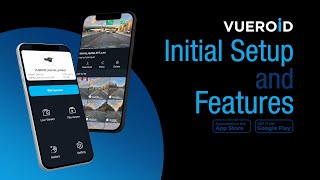
With the VUEROID app, software updates are made easy, allowing you to quickly and conveniently apply new features and improvements to your dashcam.
Analyze
Event Footage
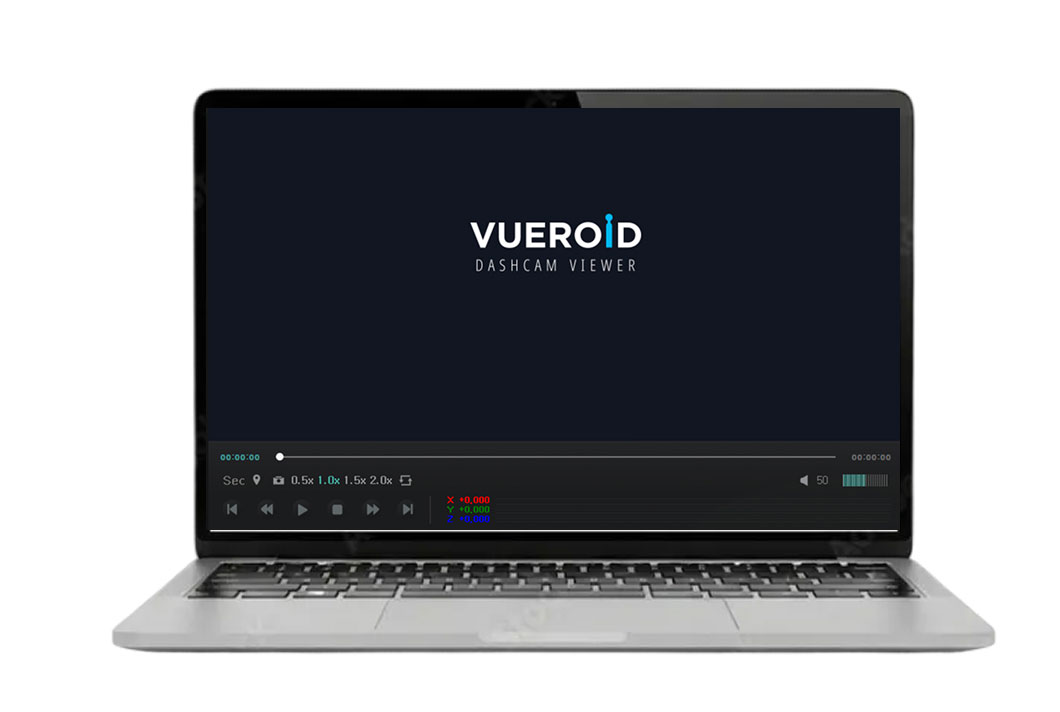
You can play videos using the dedicated PC viewer and adjust the playback speed to examine important scenes closely. You can also check your vehicle’s Value of Driving Speed, G-sensor data, and Location History on the map.

Tracking Driving
History
Enabling tracking of your driving history through detailed location, speed, and time data of your vehicle on the Vueroid App or PC Viewer.

AI ADAS
The deep learning-based AI ADAS (Advanced Driver Assistance System) supports six types of alerts, including FPD, RPD, FCWS, RCWS, FVSA, and LDWS, to help prevent potential accidents.

Alert of Upcoming Traffic Sign
Safety Camera Alerts alarm drivers of upcoming speed and red light cameras, helping them reduce their speed and making journeys safer for everyone on the roads. They are available worldwide.
What’s in the Box.
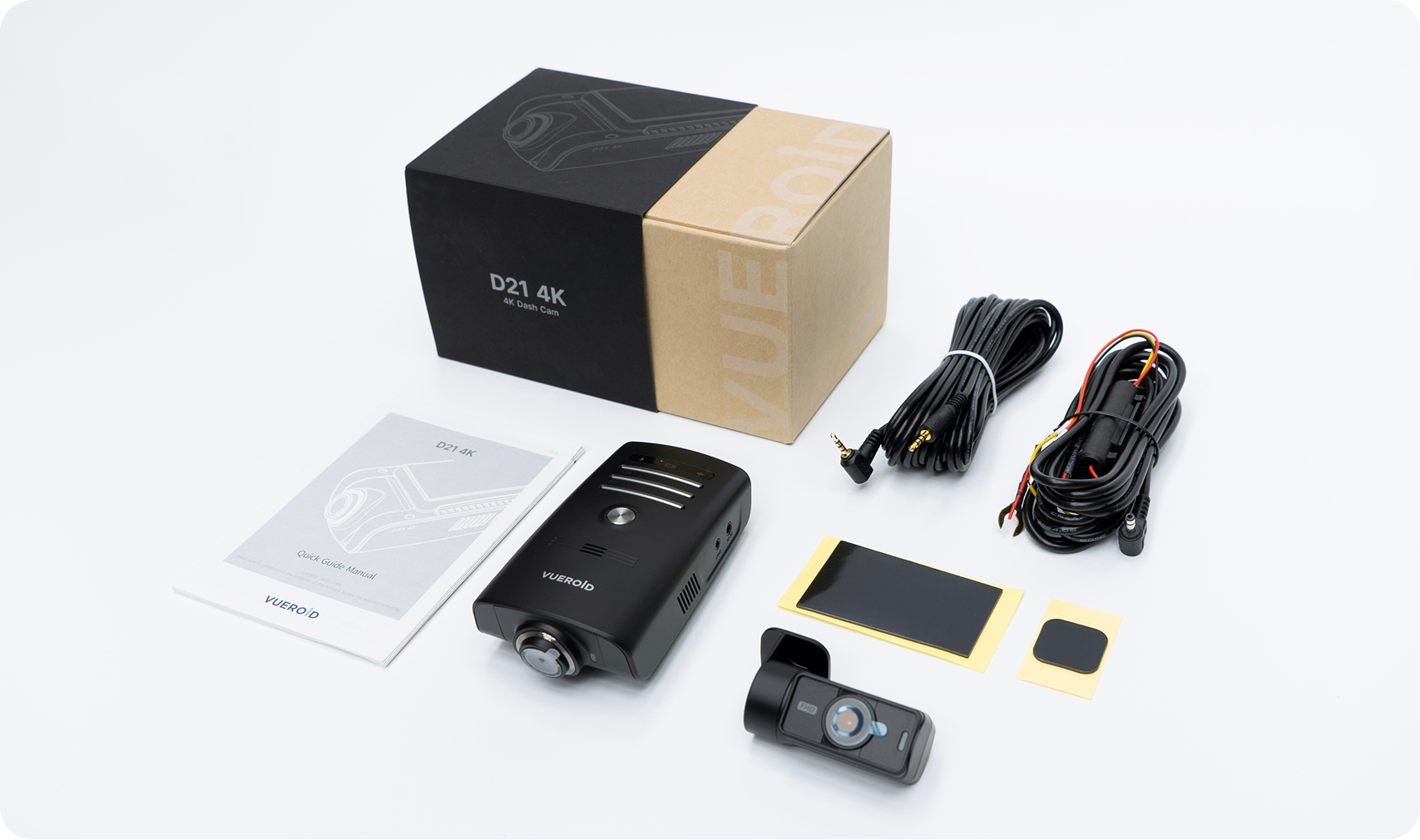
Front Camera l Rear Camera l Hardwire Kit 3M l Rear Camera Cable 6M
Foam Tape for Front/Rear (1EA/each) l Quick Guide Manual
Specification.
| List | Specification | |
| Camera | CIS | Front - SONY Starvis2 (IMX678) (3,840 x 2,160 @ 30fps) Rear - SONY Starvis (IMX307) (1,920 x 1,080 @ 30fps) |
| View Angle | Front - (D)165° x (H)125° x (V)62° Rear - (D)139° x (H)101° × (V)60° |
|
| LCD | No LCD | |
| Memory Card | Micro SD Card ( 16GB / 32GB / 64GB / 128GB / 256GB ) | |
| GPS | Built-in Antenna | |
| Wi-Fi | Built-in Wi-Fi | |
| LED Indicators | Front - Security & Status LED / Rear - Security LED | |
| G-Sensor | 3-Axis Acceleration Sensor, +2g / -2g | |
| Speaker | Built-in Speaker (Voice Guide) | |
| Microphone | Built-in Microphone | |
| Recording Mode | Normal / Event / Manual / Parking (Motion & Time Lapse & Sleep&Wake Up) | |
| Dimensions | Front - 114.0mm(W) x 65.0mm(H) x 37.0mm(D) Rear - 52.0mm(W) x 29.0mm(H) x 42.0mm(D) |
|
| Weight | Front - 93g / Rear - 28.0g | |
| Power | Input DC 12V ~ 24V | |
| Power Consumption | Max. 4.0W (12V) | |
| Operating Temp. | -20°C ~ 70°C (-4°F ~ 158°F) | |
| High Temp. Cut-off | Approximate 70°C (158°F) / Battery Discharge Prevention | |
STARVIS2
Next Level.
STARVIS 2 offers significantly high sensitivity, capturing clearer and more detailed images even in low-light conditions. Its ultra-high sensitivity design ensures accurate recognition of license plates, road signs, and people during nighttime driving.
with Crisp 4K Resolution.
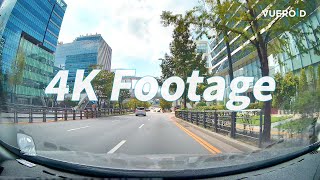
Capture the surrounding environment on the road seamlessly with a clean and crisp 4K resolution, thanks to the powerful combination with Sony STARVIS 2 image sensor. The obtained footage can be utilized effectively.
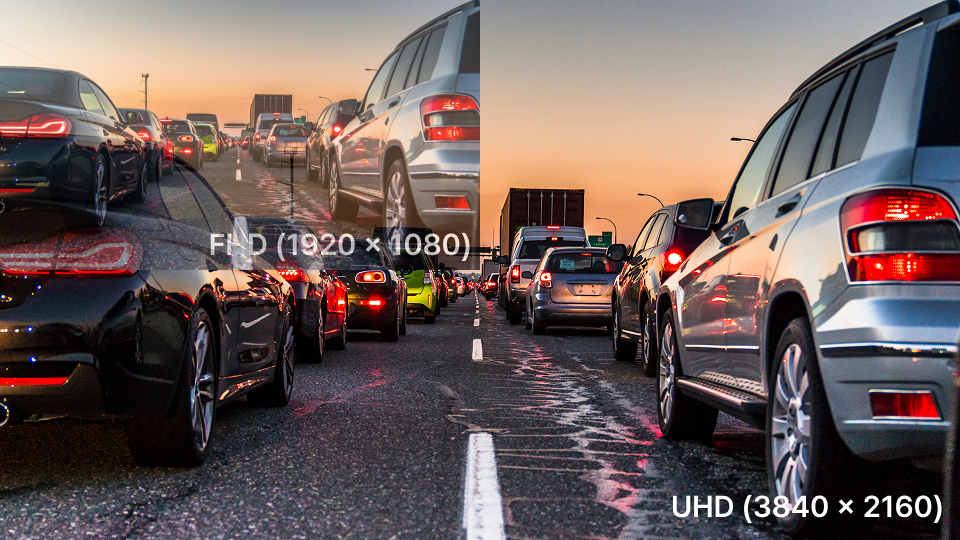
See the Clarity
+
Ultra License Plate Capture.
Ultra LP Capture can identify vehicle license plates not only when the vehicle is stationary, but also when the vehicle is moving. Additionally, it provides accurate license plate information even in very low-light environments, allowing you to secure useful evidence in the event of a hit-and-run accident in a dark place.
+
What else?
Various Parking Mode for Safety & Efficiency.


Motion Detection
Monitor and capture any motion around the vehicle for potential vandalism attempts.

Time-Lapse Recording
Captures footage at 1FPS, allowing for extended, continuous recording in parking mode without significantly increasing power consumption or requiring excessive storage space. Furthermore, full frame rate (30FPS) recording when any event is detected.

Low Voltage Setting
Due to prevent car battery from discharge, Vueroid always monitors battery status. When the battery voltage falls below the preset voltage, the power of the dashcam is automatically cut off to protect the battery.
+
Heat Monitoring System.
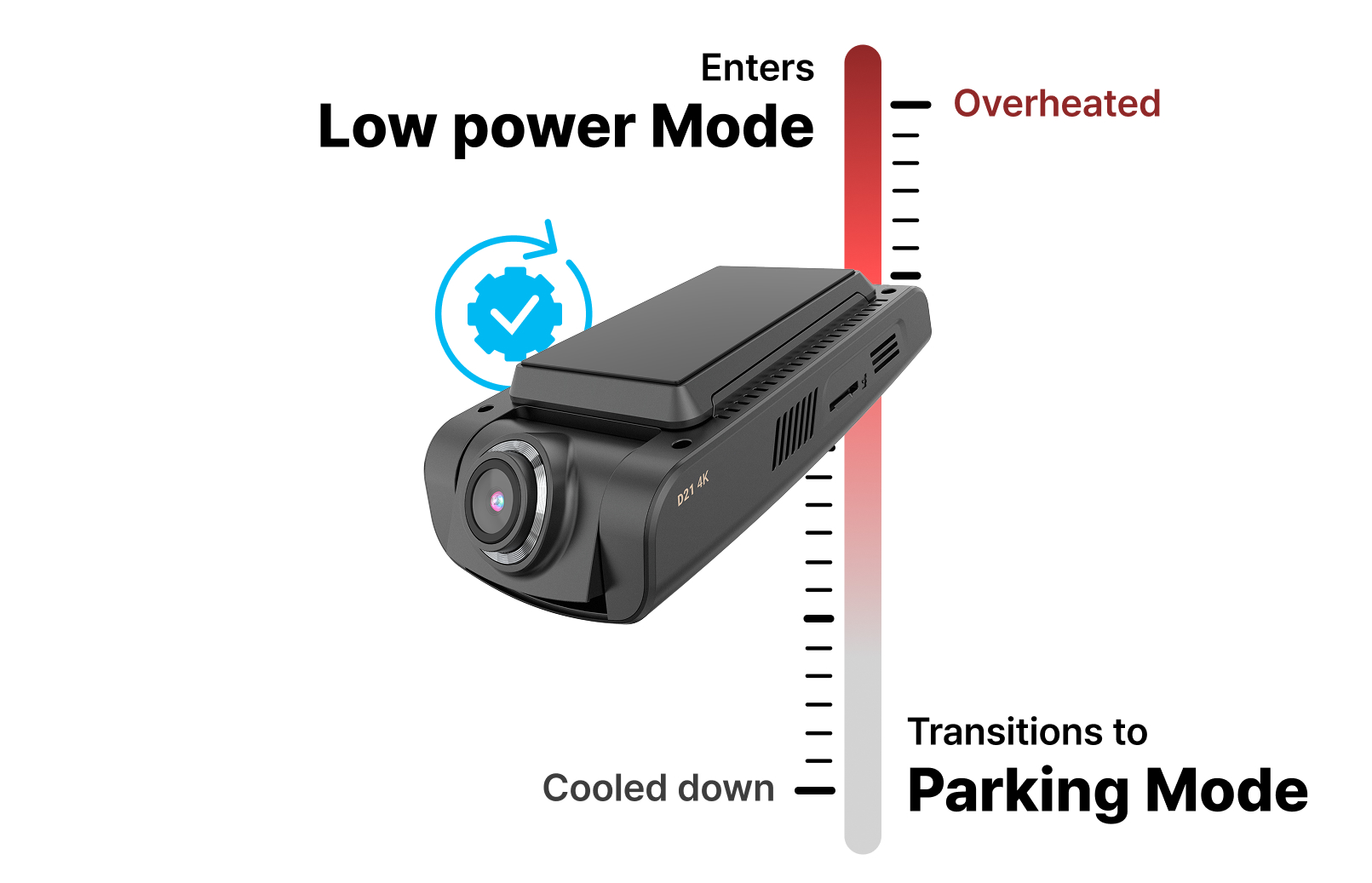
When the vehicle’s temperature rises, the device enters power-saving mode to prevent overheating. It wakes up to record automatically if an event occurs, ensuring important moments are not missed.
+
FAQ
Q. What is the maximum SD card capacity supported?
We support up to 256GB.
Q. Can I install the dashcam on vehicles with a nearly vertical windshield, like a Jeep?
Yes, you can! The VUEROID D21 4K features an adjustable lens that can be tilted up or down. After mounting the dashcam, simply adjust the lens angle to ensure a clear and optimal view of the road.
Q. How to format memory card?
Press Voice and Wi-Fi buttons simultaneously for more than 3 seconds.
USER GUIDE VIDEO
DOWNLOAD CENTER
Manual Download
Manual Download
Manual Download
| No. | NAME | LANGUAGE | DOWNLOAD | Date |
| 1 |
VUEROID_D40-Q2 2CH_quick_manual
|
ENG | 2026.03.18 |
Manual Download
Manual Download
| No. | NAME | LANGUAGE | DOWNLOAD | Date |
| 1 |
VUEROID_D21 LTE FHD_QUICK MANUAL
|
ENG | 2026.03.18 |
Manual Download
| No. | NAME | LANGUAGE | DOWNLOAD | Date |
| 1 |
VUEROID_D20-Q2-PLUS_QUICK-MANUAL
|
ENG | 2026.03.18 |
Manual Download
| No. | NAME | LANGUAGE | DOWNLOAD | Date |
| 1 |
VUEROID_D20-F2/F2E_quick_manual
|
ENG | 2026.03.18 |
Manual Download
Manual Download
| No. | NAME | LANGUAGE | DOWNLOAD | Date |
| 1 |
VUEROID_D10-FW-Series_quick_manual
|
ENG | 2026.03.18 |
Firmware Update Instructions
Please do the following steps.
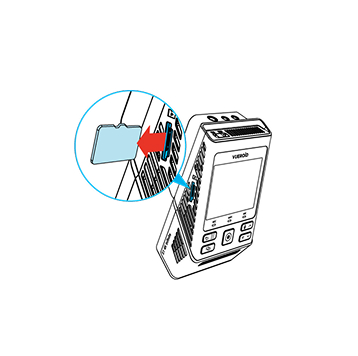
Turn off the unit and remove Micro SD Card. Insert it into your computer.

Download the latest firmware.

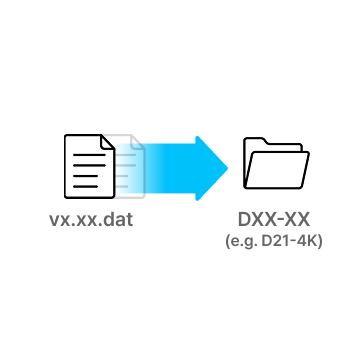
Unzip the firmware file and copy the .DAT file to the root directory of SD Card.
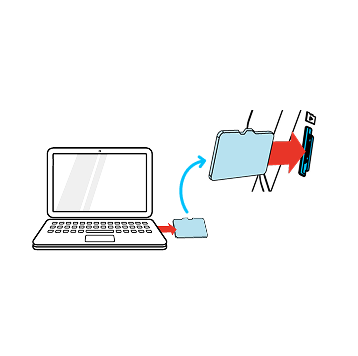
Eject Micro SD Card from computer and insert it into the device.
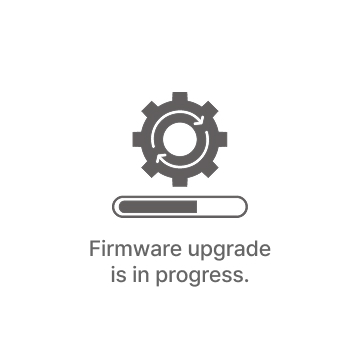
Turn on the device. The firmware upgrade will start automatically.
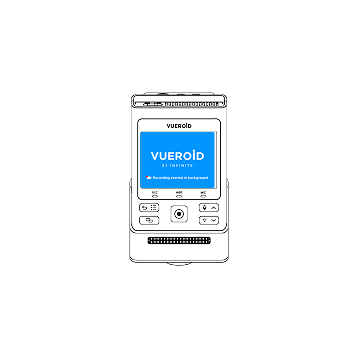
Once the firmware upgrade is complete, the device will automatically restart. You can then continue using the device.
*Firmware updates are available via the VUEROID HUB App and are processed automatically once the device is connected.
Firmware Download
Firmware Update Notes
- Updated menu icons (Up/Down → Back / Up & Down)
- Revised Stamp settings menu (Brand model, firmware version, date & time, channel, voltage, video GPS speed, GPS coordinates, enhancement, frame rate, watermark, color — 4 options)
- Added Power Off function via long press of the OK button during parking mode transition
- Added Time Zone support
- Added GPS disconnected icon
- Seamless VOD playback over a Wi-Fi connection
- Enhanced video image quality (Normal, HDR + IPC)
- Enabled interior camera motion detection in Parking Mode
- Enhanced GPS zone setting accuracy and advanced Hub UI
- Improved overall system stability
Firmware Download
Firmware Update Notes
- Updated menu icons (Up/Down → Back / Up & Down)
- Revised Stamp settings menu (Brand model, firmware version, date & time, channel, voltage, video GPS speed, GPS coordinates, enhancement, frame rate, watermark, color — 4 options)
- Added Power Off function via long press of the OK button during parking mode transition
- Added Time Zone support
- Added GPS disconnected icon
- Seamless VOD playback over a Wi-Fi connection
- Enhanced video image quality (Normal, HDR + IPC)
- Enabled interior camera motion detection in Parking Mode
- Enhanced GPS zone setting accuracy and advanced Hub UI
- Improved overall system stability
Firmware Download
Firmware Update Notes
- Added Multi-Language Voice Packs
- Added Smart Low Power Mode
- Added Parking Recording Delay Mode (No Delay/ 90 Sec/ 3 Min)
- Added Auto REC Off Zone (Geofence-Based)
- Added Front & Rear Camera Rotation On/Off
- Improved HDR Timer
- Improved speaker volume level
- Added Support for Automatic SD Card Formatting
Firmware Download
Firmware Update Notes
- Added Multi-Language Voice Packs
- Added Smart Low Power Mode
- Added Parking Recording Delay Mode (No Delay/ 90 Sec/ 3 Min)
- Added Auto REC Off Zone (Geofence-Based)
- Added Front & Rear Camera Rotation On/Off
- Improved HDR Timer
- Improved speaker volume level
- Added Support for Automatic SD Card Formatting
Firmware Download
Firmware Update Notes
- Updated menu icons (Up/Down → Back / Up & Down)
- Revised Stamp settings menu (Brand model, firmware version, date & time, channel, voltage, video GPS speed, GPS coordinates, enhancement, frame rate, watermark, color — 4 options)
- Added Power Off function via long press of the OK button during parking mode transition
- Added Time Zone support
- Added GPS disconnected icon
- Seamless VOD playback over a Wi-Fi connection
- Enhanced video image quality (Normal, HDR + IPC)
- Enabled interior camera motion detection in Parking Mode
- Enhanced GPS zone setting accuracy and advanced Hub UI
- Improved overall system stability
Firmware Download
Firmware Update Notes
- Added Multi-Language Voice Packs
- Added Smart Low Power Mode
- Added Parking Recording Delay Mode (No Delay/ 90 Sec/ 3 Min)
- Added Auto REC Off Zone (Geofence-Based)
- Improved HDR Timer
- Improved speaker volume level
- Added Support for Automatic SD Card Formatting
Firmware Download
| No. | Version | Release Date | Down |
| 3 |
D20-F2E 2CH_firmware_v1.13
|
2026.03.18
|
|
| 2 |
D20-F2E_1CH_firmware_v1.13
|
2026.03.18
|
|
| 1 |
D20-F2_firmware_v1.13
|
2026.03.18
|
Firmware Update Notes
- Added Multi-Language Voice Packs
- Added Smart Low Power Mode
- Added Parking Recording Delay Mode (No Delay/ 90 Sec/ 3 Min)
- Improved HDR Timer
- Improved speaker volume level
- Added Support for Automatic SD Card Formatting
Firmware Download
Firmware Update Notes
- Added Multi-Language Voice Packs
- Added Smart Low Power Mode
- Added Parking Recording Delay Mode (No Delay/ 90 Sec/ 3 Min)
- Improved HDR Timer
- Improved speaker volume level
- Added Support for Automatic SD Card Formatting
Firmware Download
Firmware Update Notes
- Updated menu icons (Up/Down → Back / Up & Down)
- Revised Stamp settings menu (Brand model, firmware version, date & time, channel, voltage, video GPS speed, GPS coordinates, enhancement, frame rate, watermark, color — 4 options)
- Added Power Off function via long press of the OK button during parking mode transition
- Added Time Zone support
- Added GPS disconnected icon
- Seamless VOD playback over a Wi-Fi connection
- Enhanced video image quality (Normal, HDR + IPC)
- Enabled interior camera motion detection in Parking Mode
- Enhanced GPS zone setting accuracy and advanced Hub UI
- Improved overall system stability
VUEROID APP
VUEROID VIEWER
Reviews
| 5 star | 0% | |
| 4 star | 0% | |
| 3 star | 0% | |
| 2 star | 0% | |
| 1 star | 0% |
Sorry, no reviews match your current selections