Hardwiring Kit
$6.99

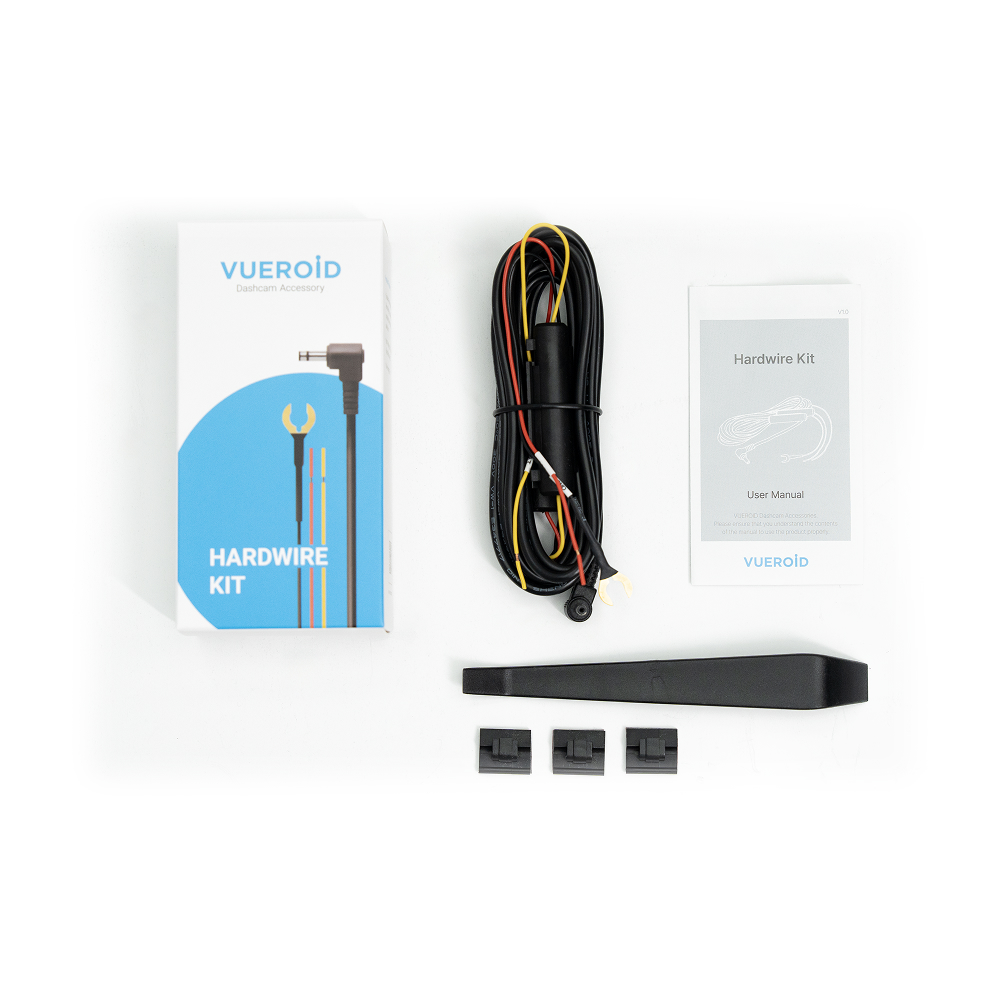
Vueroid Hardwiring Kit Power Cable


Safe, reliable power connection for your dash cam
Keep your parked car under surveillance for longer with the hardwire cable.


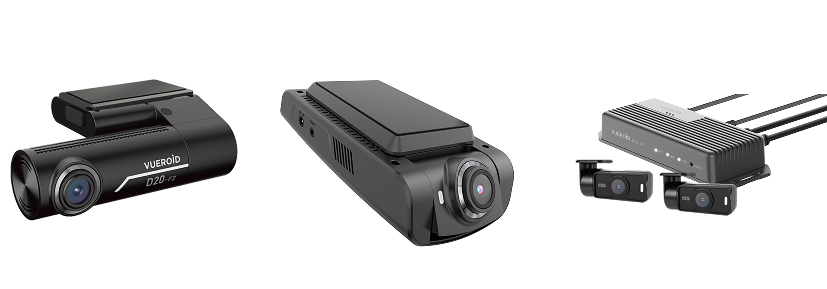
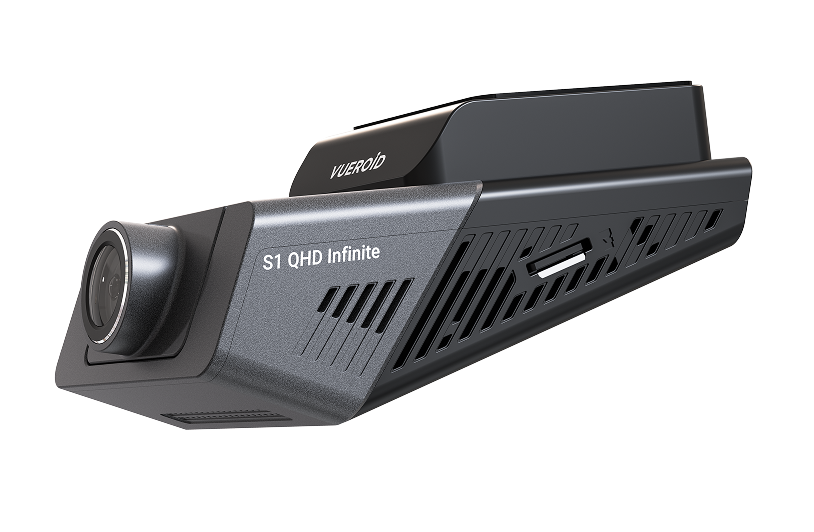

 Recommended Installation with Fuse Tap
For optimal performance and a more secure connection, we recommend using the VUEROID fuse tap set when installing the hardwire cable.
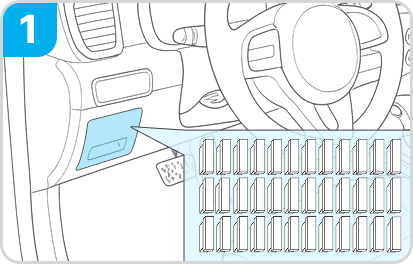
With the vehicle completely powered off, locate the vehicle’s fuse box.
※ Note: The location of the fuse box may vary depending on the vehicle model.
For the exact location, refer to the vehicle’s manual or consult the vehicle manufacturer.
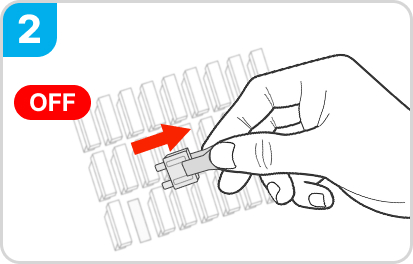
Identify the constant power (BAT) and ACC terminals in the fuse box, then carefully remove the fuses from each terminal.
※ If a fuse in the vehicle’s fuse box has already been used to install a dashcam with
the VUEROID Hardwire cable, you may reuse that fuse.
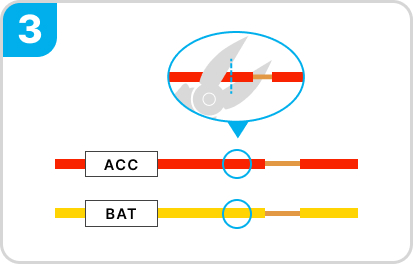
To use the fuse tap, cut the hardwire cable only up to the point where the insulation is still covering it.
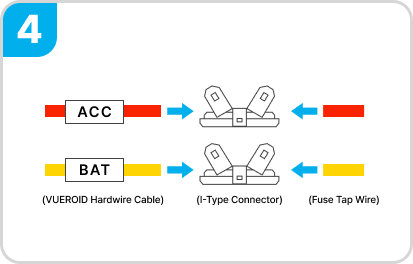
Insert the red and yellow wires of the VUEROID hardwire cable into the I-type connector, matching each color with its fuse tap. Then crimp firmly using a crimping plier.

Insert the removed fuses into the fuse holders, distinguishing ACC (red wire) and BAT (yellow wire).
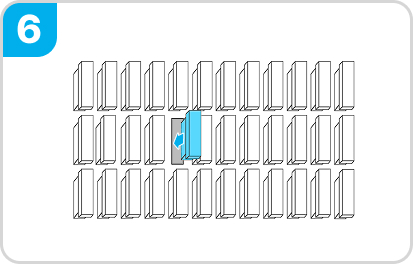
Insert the ACC fuse tap (red) into the ACC terminal, and the BAT fuse tap (yellow) into the BAT terminal.
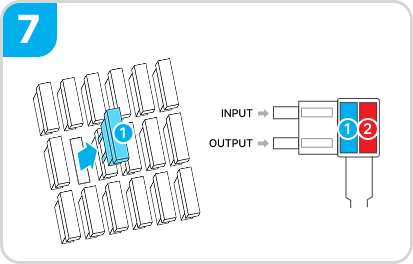
Use a tester to confirm the power direction. The INPUT side of the fuse holder must connect to the vehicle’s power supply.
※ Do not reverse the INPUT/OUTPUT direction.
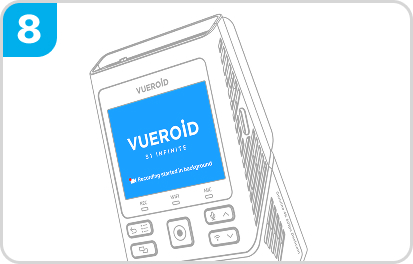
After installation, switch the dashcam power to ON, start the vehicle, and confirm that the dashcam turns on and records normally.
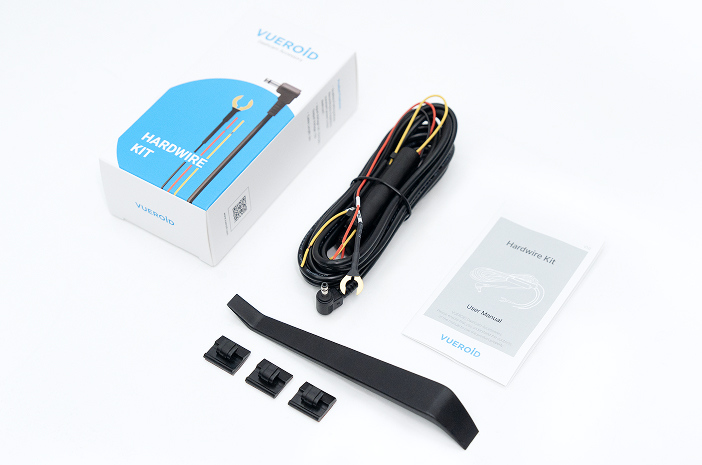
Hardwiring Cable 1ea
Trim Tool 1ea
Cable Clip 3ea
User Manual 1ea
Q1. What is the difference between the cigarette lighter cable and the hardwire cable?
The cigarette lighter cable connects to the vehicle’s 12V socket and supplies power only when the ignition is on. The hardwire cable connects directly to the vehicle’s fuse box and allows power supply even while the vehicle is parked. Hardwire installation is required to use parking mode recording. If you only use normal driving recording, the cigarette lighter cable is sufficient.
Q2. How should the hardwire cable be installed?
The hardwire cable is installed by connecting it to the vehicle’s fuse box. In general, the B+, ACC, and GND (ground) lines must be connected correctly, and fuse locations may vary depending on the vehicle. If you are familiar with vehicle electrical systems, you may install it yourself. However, incorrect installation may cause battery discharge or abnormal operation, so if you are not confident with installation, we recommend seeking help from a professional installer.
Q3. Is there a risk of battery discharge when using parking mode?
Since parking mode uses the vehicle battery, battery discharge may occur during long parking periods. Vueroid provides battery protection features such as Cut-off Voltage, Cut-off Time, Extreme Low Power Mode (ELPM), and Winter Mode to help prevent unnecessary battery discharge. In particular, Extreme Low Power Mode (ELPM) minimizes power consumption during parking mode for longer and more stable parking surveillance, while Winter Mode helps protect the battery by cutting power earlier in cold weather when battery performance is reduced. Actual operating time may vary depending on vehicle battery condition, parking duration, seasonal temperature, and usage environment.
Q4. How should I manage the dash cam during long-term parking?
For long-term parking or when the vehicle will not be used for an extended period, we recommend detaching the dash cam main unit from the mount to help prevent unnecessary standby power consumption and battery discharge. Since the mount supplies power to the device, removing the main unit helps reduce unnecessary power usage. Please also refer to your vehicle manufacturer’s guidelines for long-term parking and battery maintenance, as recommendations may vary depending on the vehicle model.
 Hardwiring Kit
Sorry, no reviews match your current selections