Extreme Low Power Parking Mode
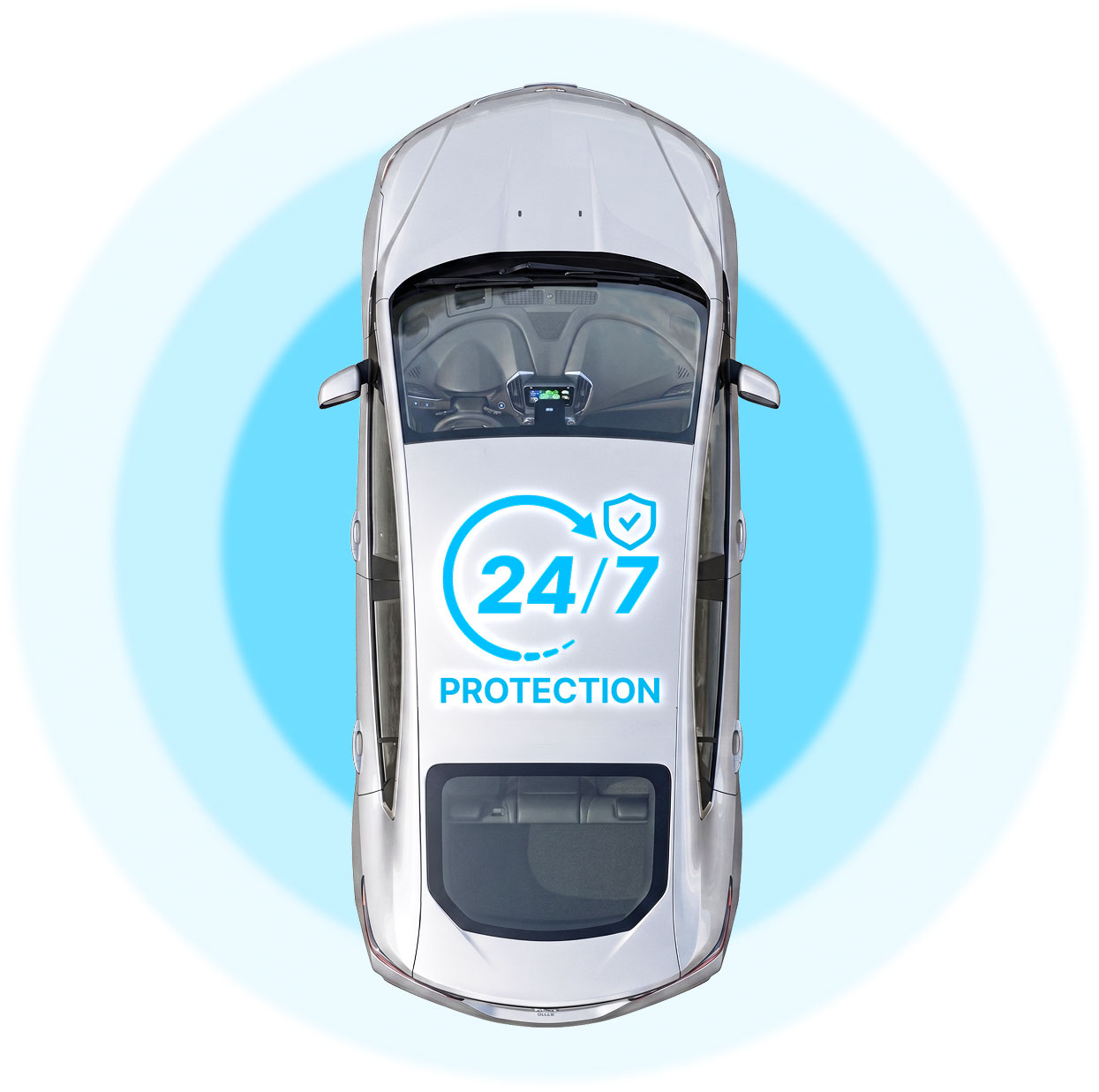
Our parking mode draws under 1mA and records in under 1 second after impact.

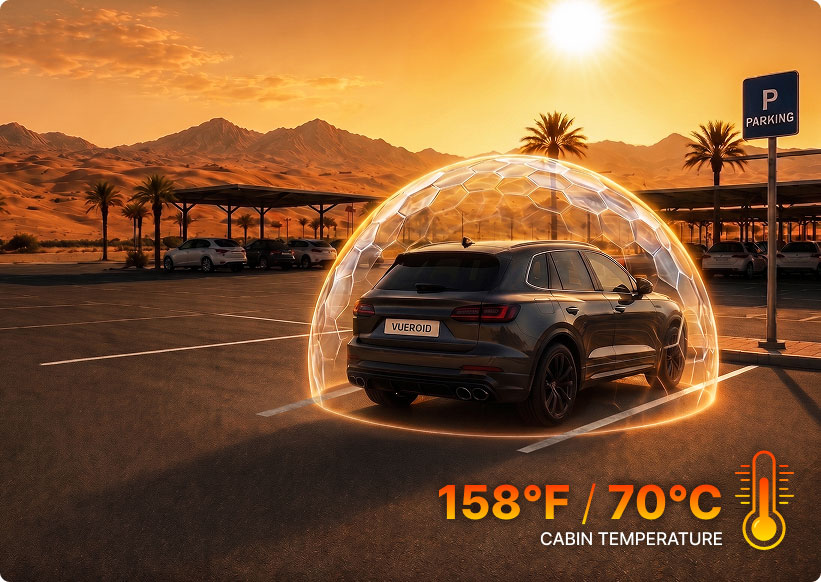
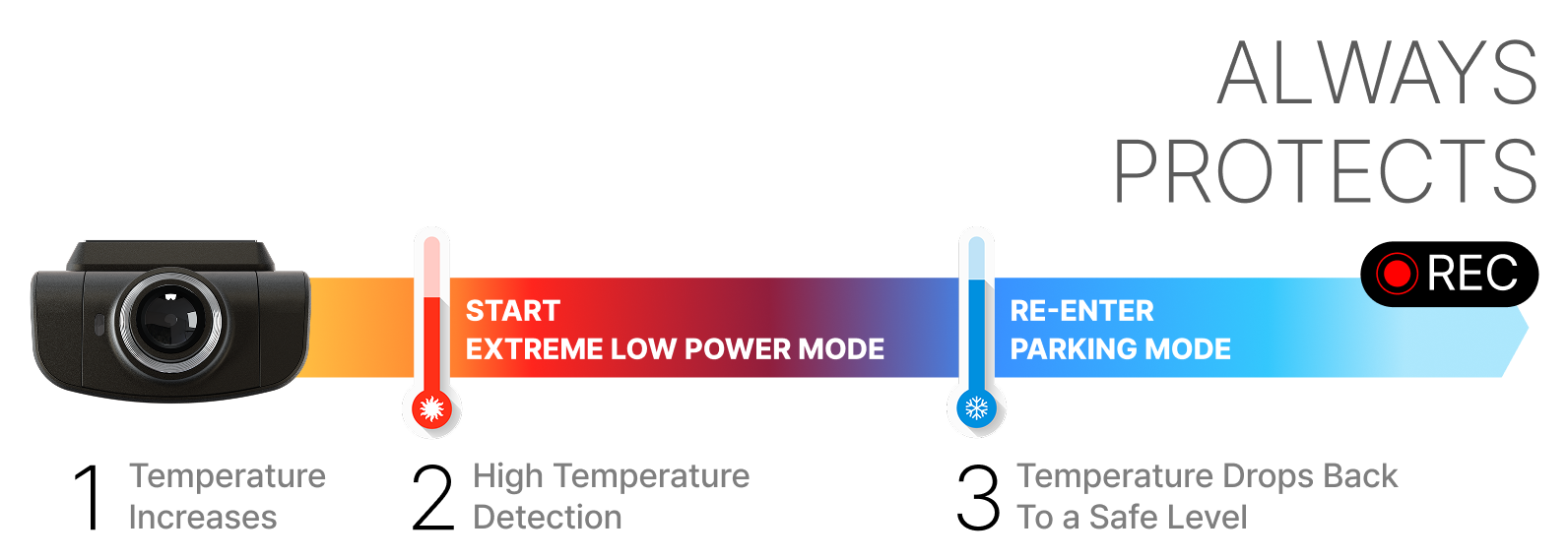
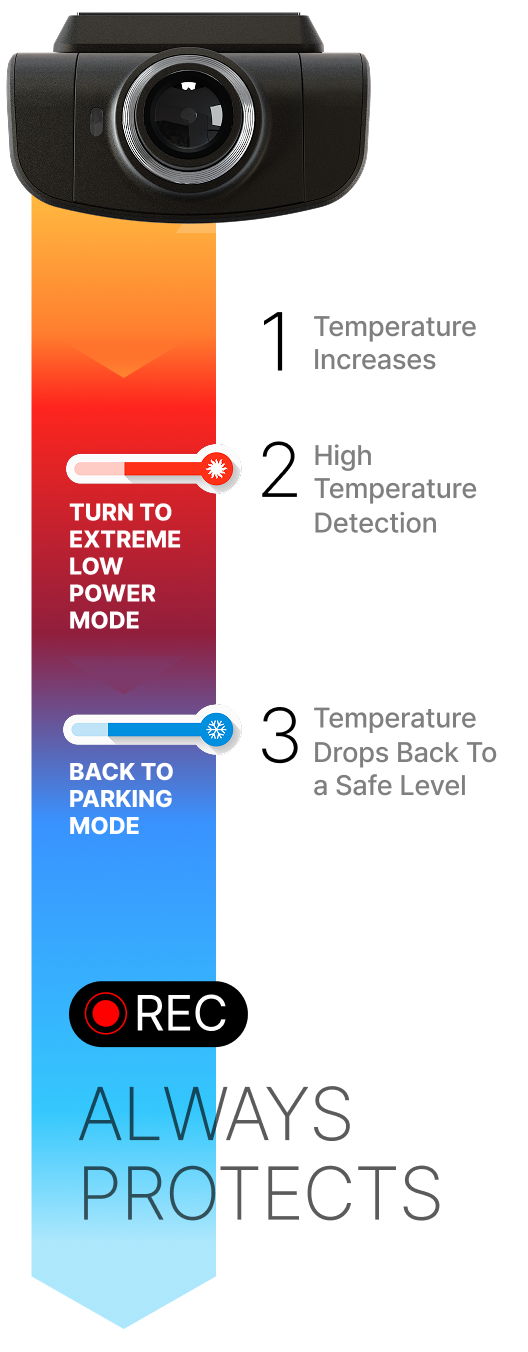
Powered by Durashift™ Heat Management, the VUEROID D22 4K delivers reliable parking surveillance even under extreme cabin temperatures.
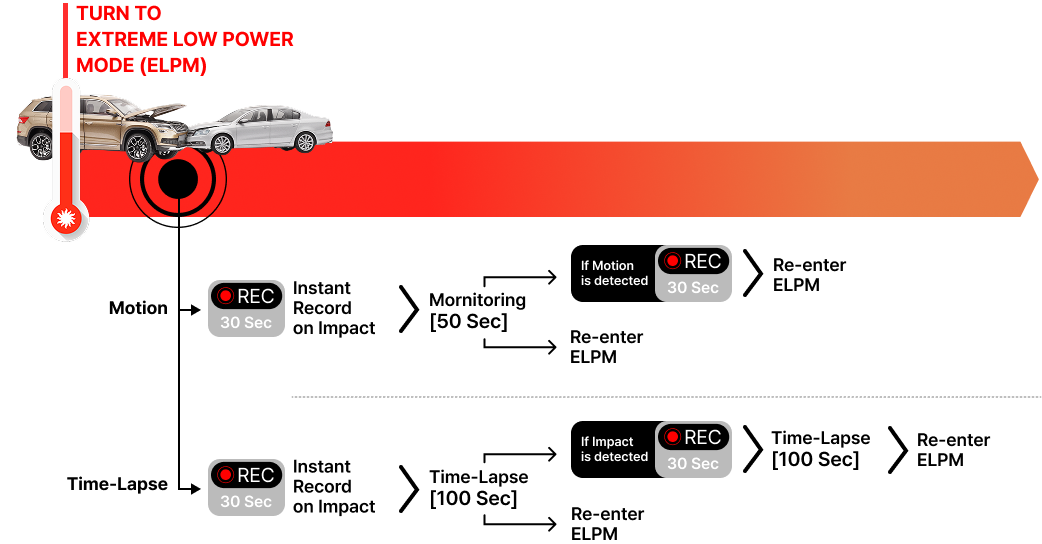
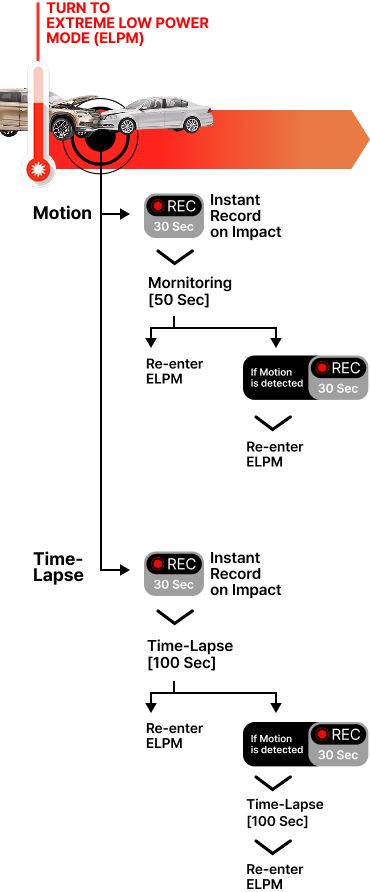
When internal temperature exceeds safe limits, the D22 4K automatically shifts to Extreme Low Power Mode (ELPM) remaining alert for impact events.
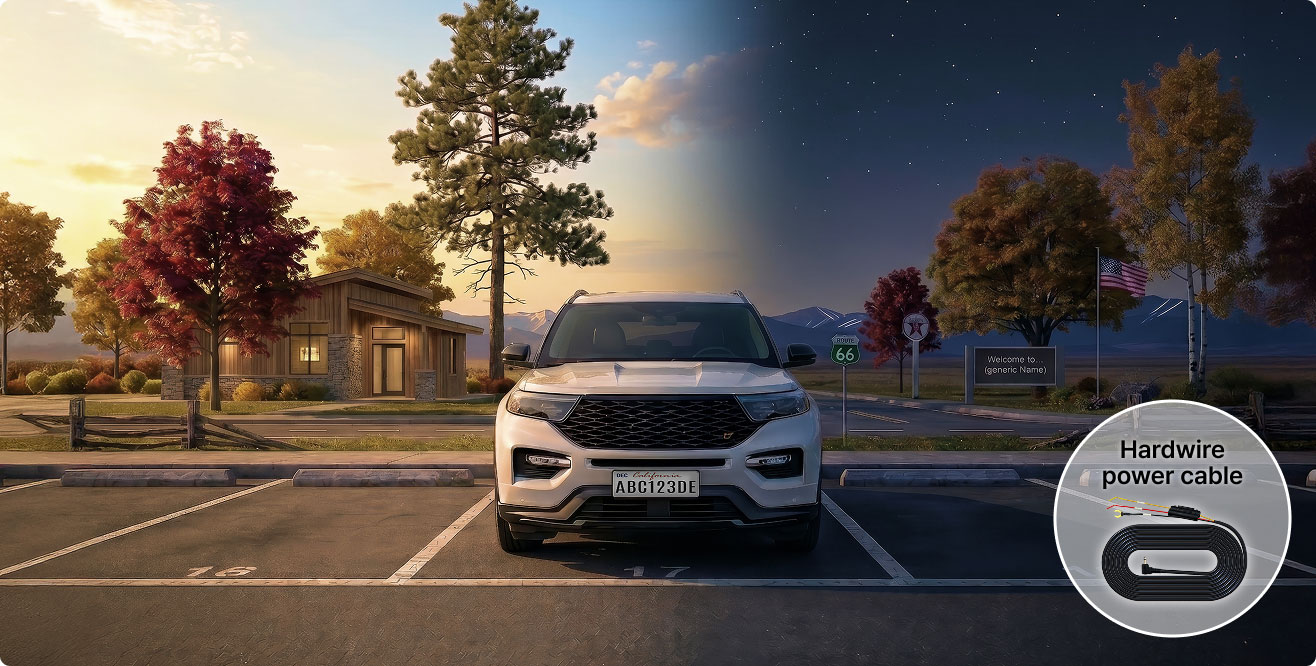
Everything needed for reliable protection and hassle-free installation — already in the box.
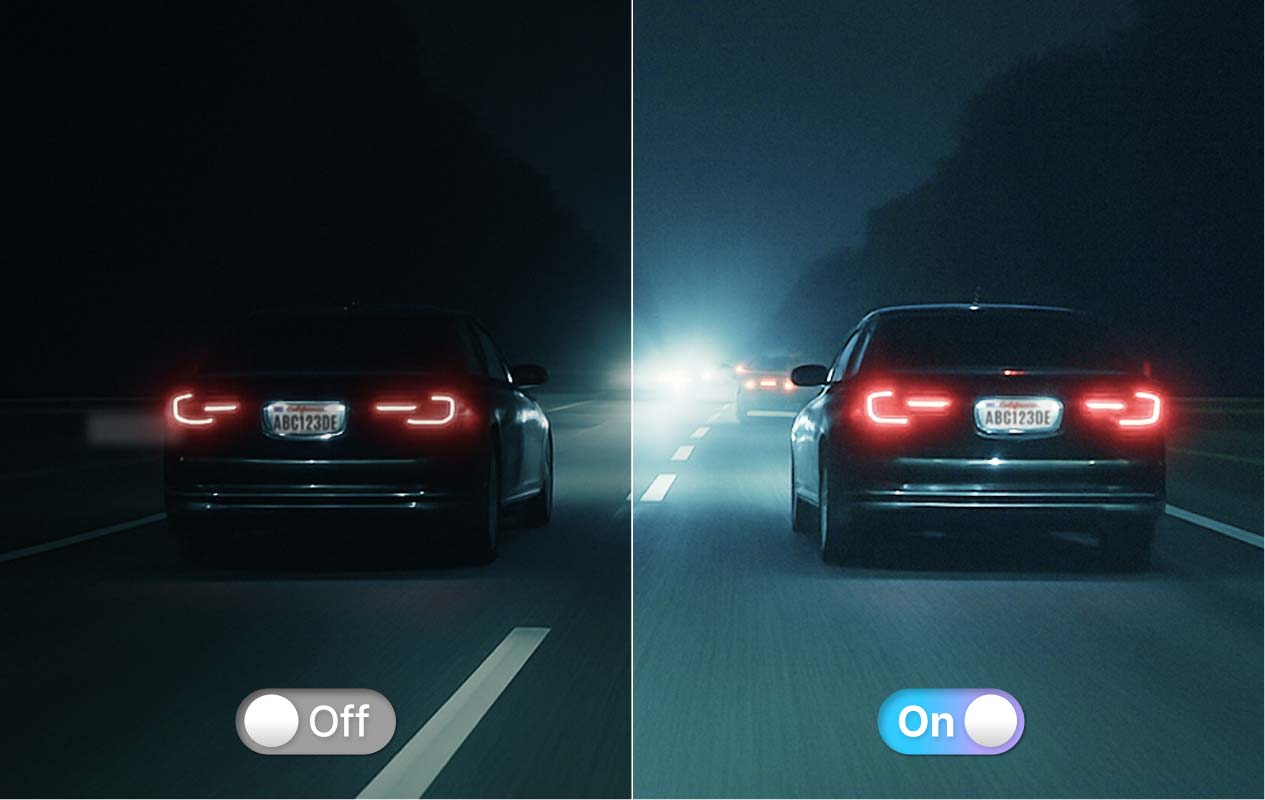
Enhanced with VUEROID Sight Matrix™ Tuning, the D22 4K delivers improved detail reproduction, balanced exposure, and clearer visibility across a wide range of driving conditions.
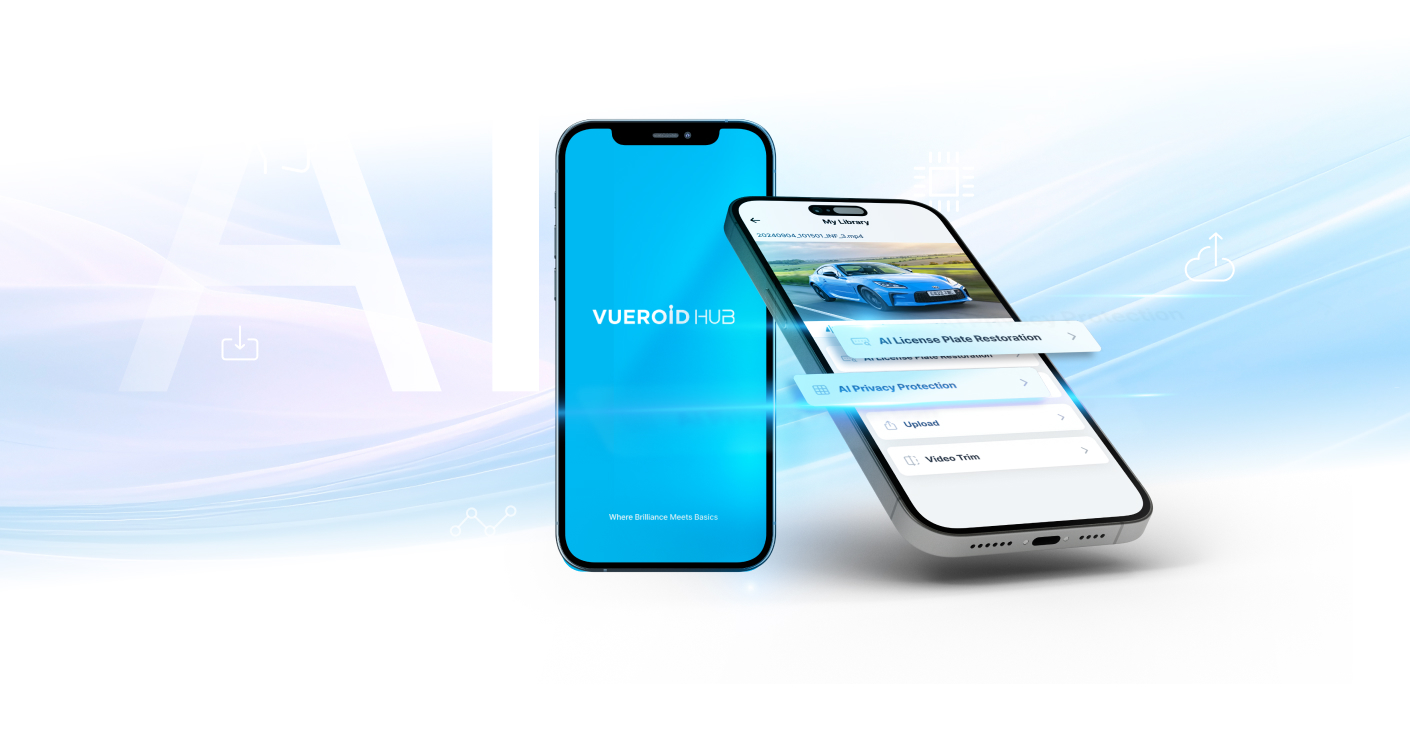
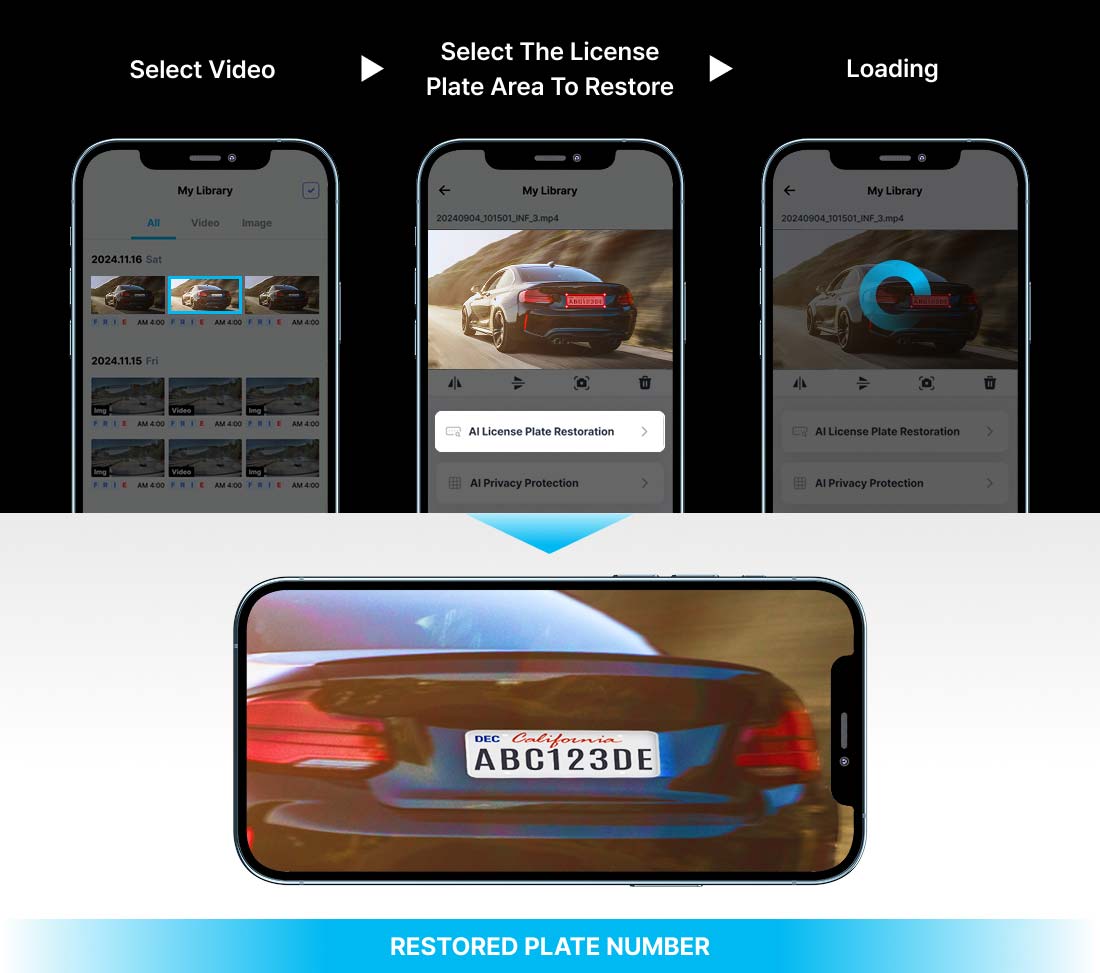
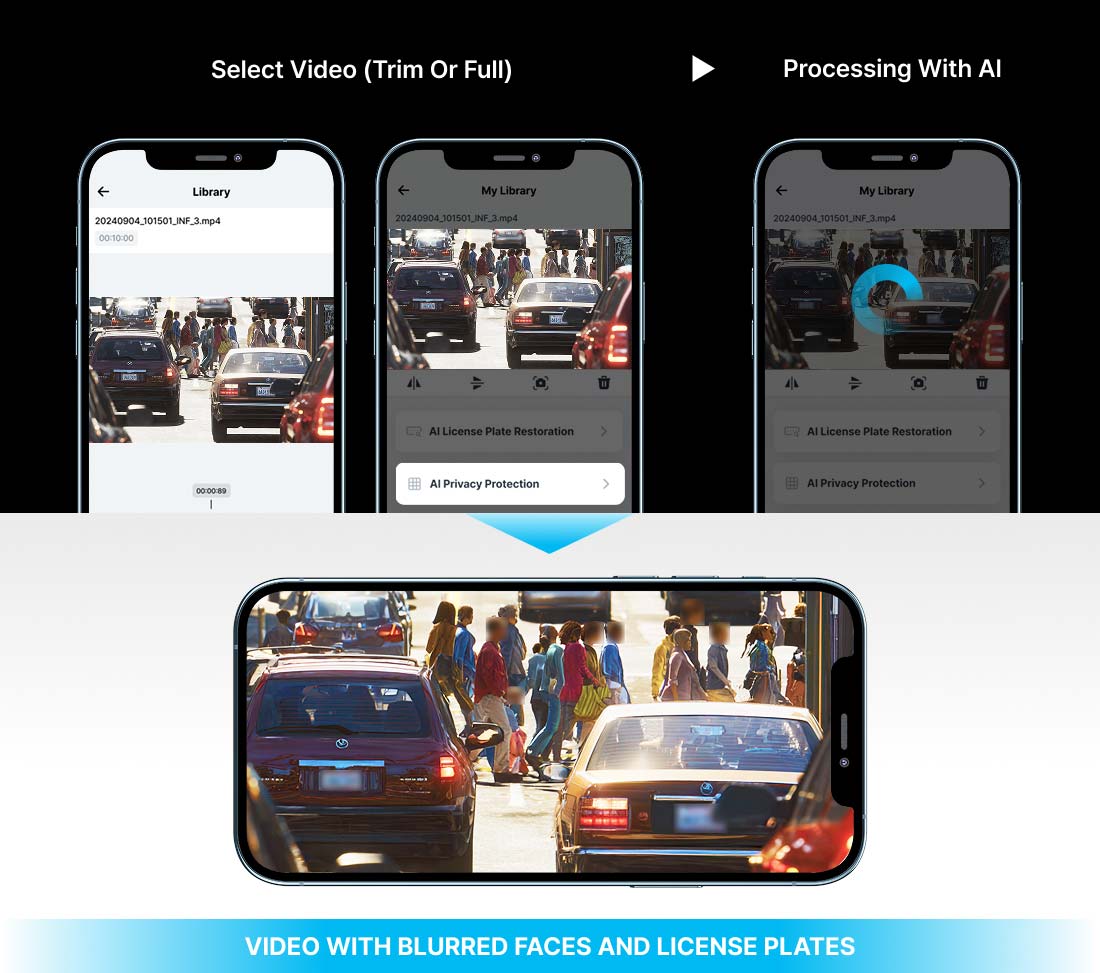
* AI feature: For reference only; AI-generated results should be reviewed by the user.
The feature runs via the VUEROID Cloud server if selected, and uploaded data is permanently deleted after processing.
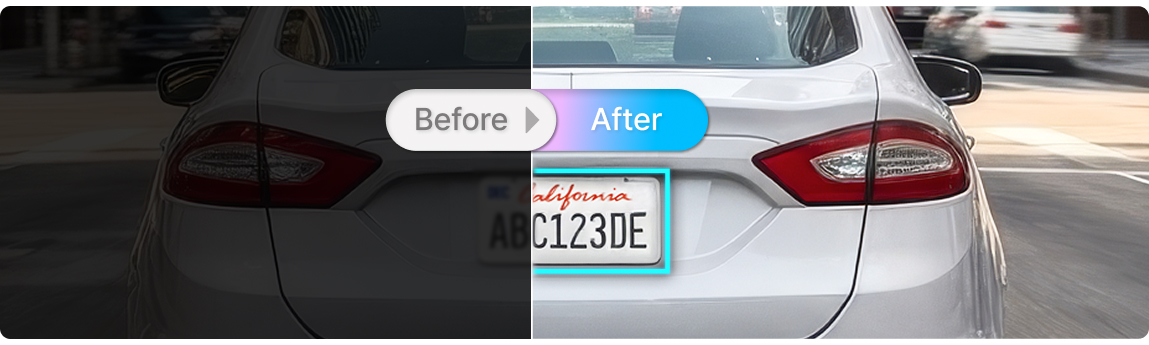
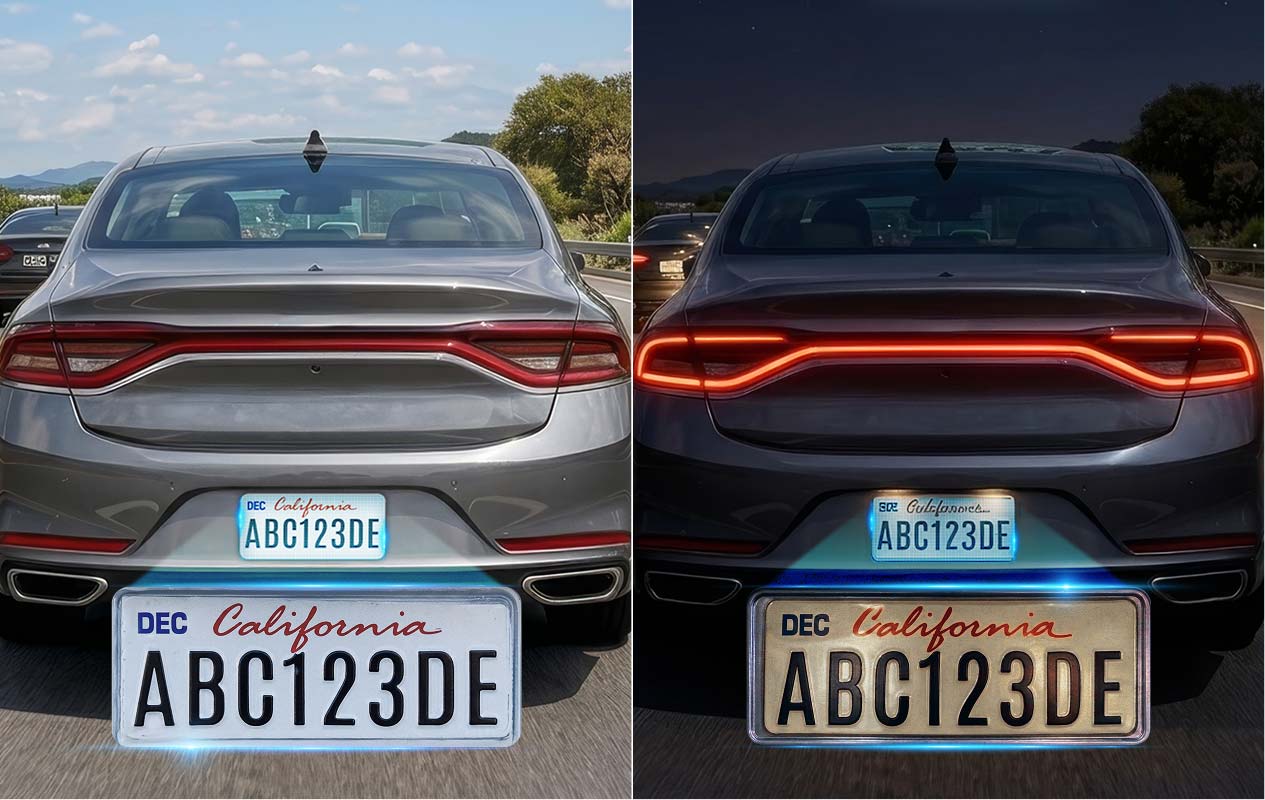
Enhances blurry license plates for clearer recognition.
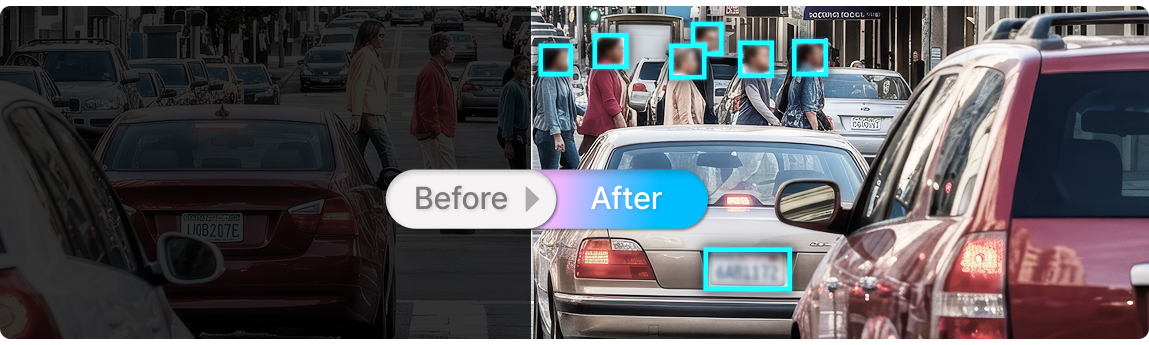
Blurs personal information, including license plates and faces.
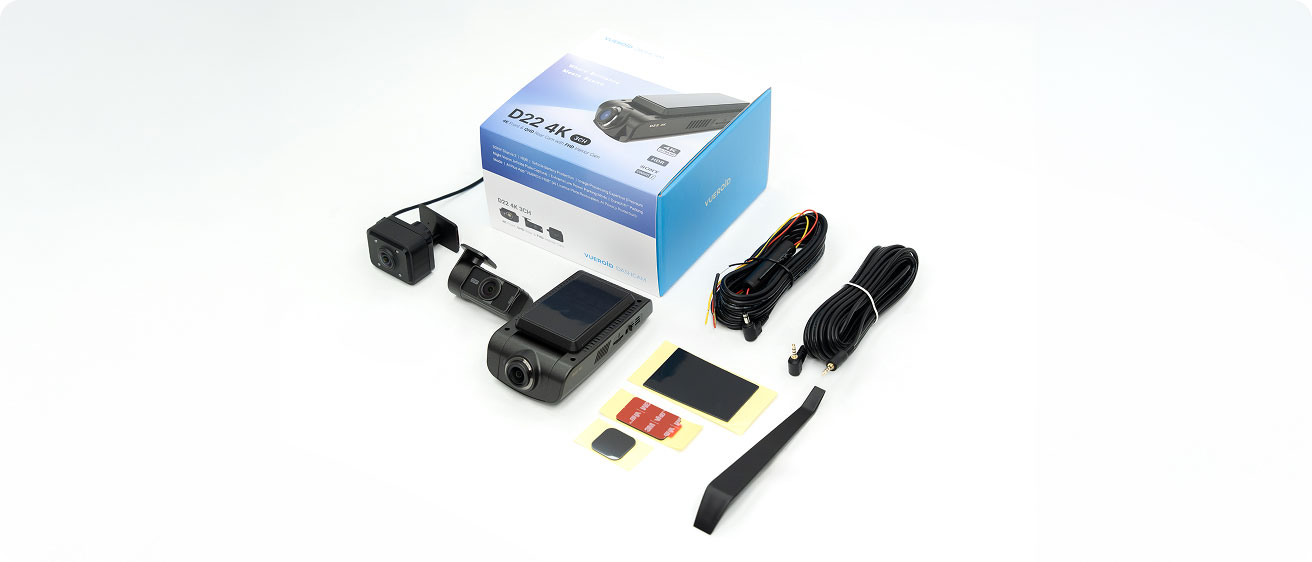
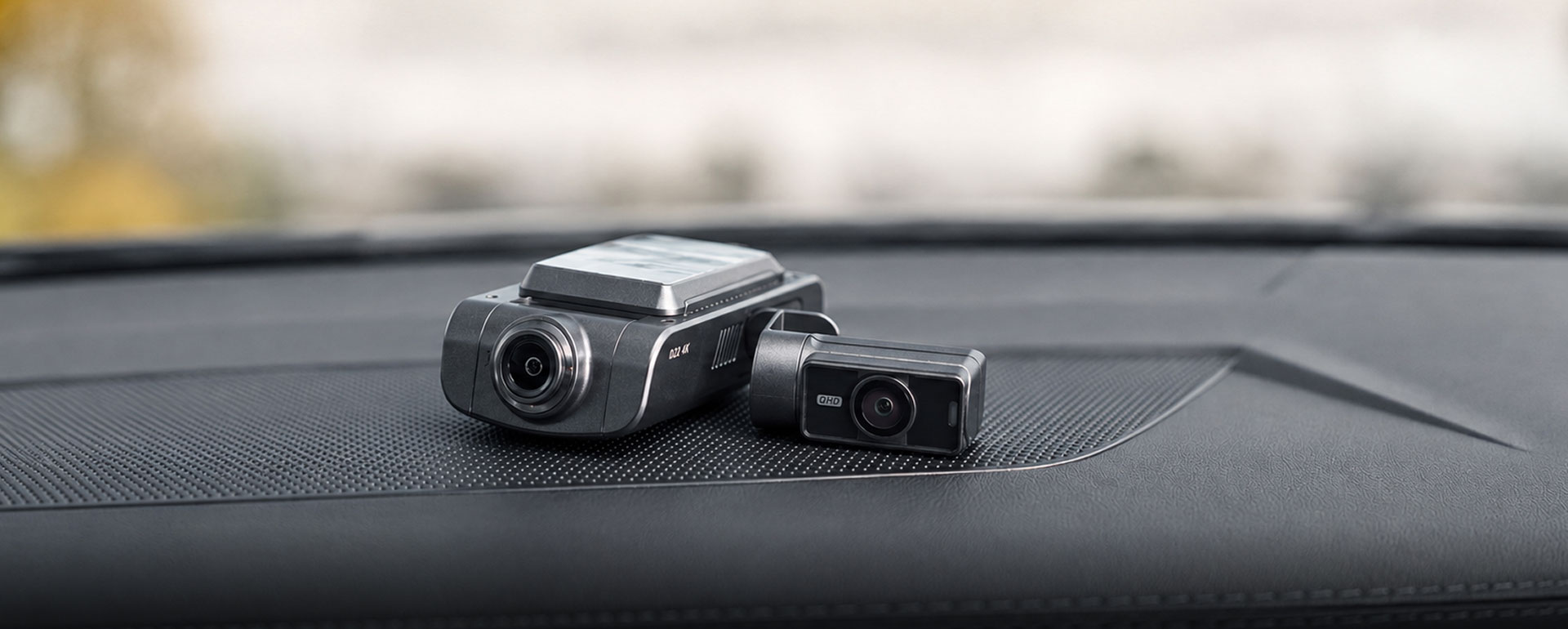
Front Camera • Rear Camera & Cable • Interior Camera • Hardwire Power Cable 3M Trim Tool • Foam Tape (3EA) • User Manual
| List | Specification |
| Channels | 3CH |
| Image Sensor | Front Camera: SONY Starvis2 (IMX678) Rear - SONY Starvis (IMX335) Interior Camera: SONY Starvis (IMX307) |
| Resolutions | Front Camera: UHD (3,840 x 2,160) @ 30fps (Max. 60fps) Rear Camera: QHD (2560 x 1440) @ 30fps Interior Camera: FHD (1920 x 1080) @ 30fps |
| FOV | Front Camera: 149° Rear Camera: 139° Interior Camera: 170° |
| Image Mode | HDR(Front&Rear), Infinite Plate Capture Mode(Front), Premium Night Vision Mode(Front) |
| GPS | Built-in |
| Wi-Fi | Built-in |
| LCD | 2.3" |
| Power | 12V, 5V(USB-C) |
| TFF (Three Free File) System | O (Super Capacitor Not Necessary) |
| SD Card Compatibility | Up to 512GB (Recommended to use 256GB or larger) |
| Data Transfer | SD Card, Vueroid HUB App, PC Viewer & USB Mode |
| AI Functionalities | AI License Plate Restoration & Privacy Protection via HUB App or PC Viewer |
| Parking Mode | Extreme Low Power Mode, Impact&Motion, Impact&Timelapse, Auto REC Off Zone mode, Durashift Parking Mode (Hardwire Cable is included) |
| Safety Features | Battery Protection Mode (Battery Cut-Off Voltage & Time) |
| Operating Temperature | -20℃ ~ 65℃ (-4℉ ~ 149℉) |
| Storage Temperature | -20℃ ~ 70℃ (-4℉ ~ 158℉) |
Even in extreme heat, the D22 4K does not shut down. It automatically enters an extreme low power mode to prevent overheating, then instantly records if an impact is detected.

+
Extreme Low Power Mode(ELPM) keeps power consumption to a minimum during parking. This enables long-term parking protection while helping preserve your vehicle’s battery and capture critical events when impacts occur.
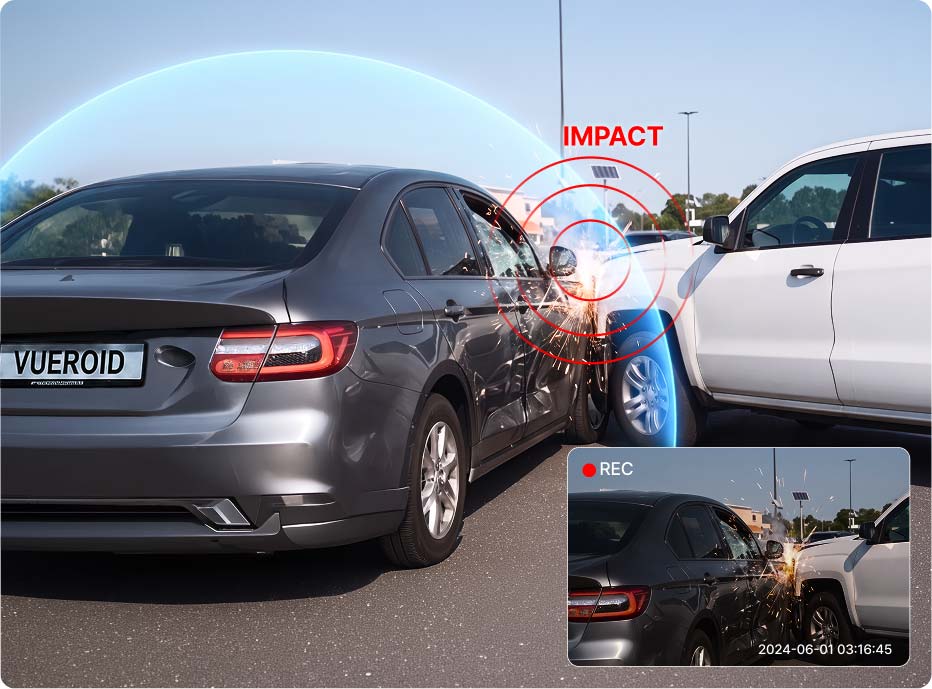

Set your preferred recording time or voltage limit to decide whether the dashcam powers off after normal parking recording or continues surveillance in Extreme Low Power Mode (ELPM).

Buffered Recording
Parking Protection Time
For drivers who want their dashcam
to stay active and protect longer.
Impact & Motion or Impact & Time Lapse modes automatically switches to ELPM at the set voltage level, staying continuously active for ongoing parking protection.
How to Set

Extreme Low Power Mode OFF
Set Power Off Voltage
Low Power Mode Entry Time AUTO

Buffered Recording
Parking Protection Time
For drivers who want a balance between buffered recording and parking protection.
Impact & Motion or Impact & Time Lapse modes automatically switch to ELPM at the user-defined voltage level, staying ready to wake instantly on impact and capture critical moments. Once the power-off voltage is reached, the dash cam safely powers off to protect the vehicle battery.
How to Set
Extreme Low Power Mode Hybrid
Set Power Off Voltage
Low Power Mode Entry Time AUTO

Buffered Recording
Parking Protection Time
For drivers who prioritize continuous buffered recording.
Keeps recording in Impact & Motion or Impact & Time Lapse mode, capturing moments before and after events, until the power off voltage is reached—then the dash cam powers off to protect your vehicle’s battery.
How to Set
Extreme Low Power Mode OFF
Set Power Off Voltage
Low Power Mode Entry Time OFF
* Tip: When using Auto Setting, set the Power Off Voltage one level higher to prevent battery discharge.
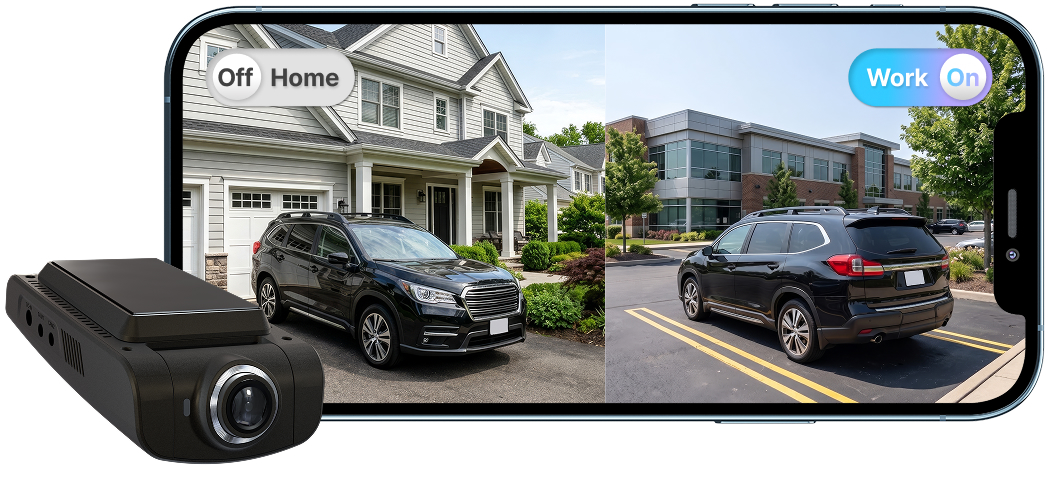
When you park at familiar places like home or work, Parking Mode automatically turns off to save power. When you’re parked somewhere new, it turns back on automatically.
Whether you prefer event-based recording or continuous coverage, VUEROID offers parking recording modes to fit different situations.

+
*The image above is for illustrative purposes only and may differ from the actual app interface.
+
Q. -
Please do the following steps.
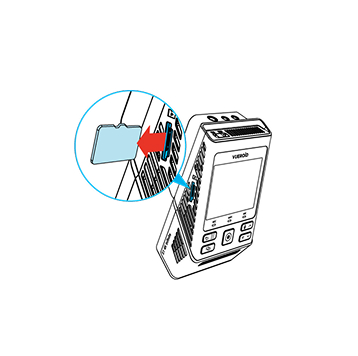
Turn off the unit and remove Micro SD Card. Insert it into your computer.

Download the latest firmware.
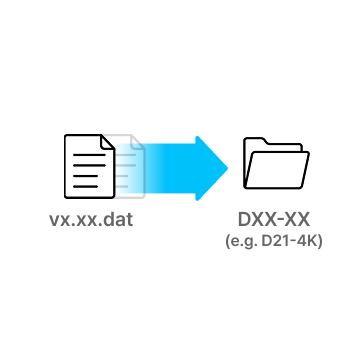
Unzip the firmware file and copy the .DAT file to the root directory of SD Card.
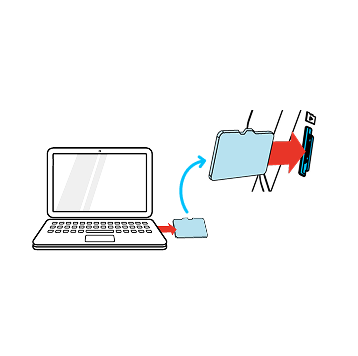
Eject Micro SD Card from computer and insert it into the device.
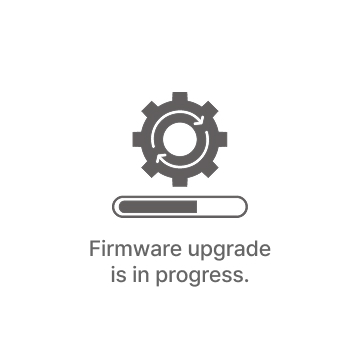
Turn on the device. The firmware upgrade will start automatically.
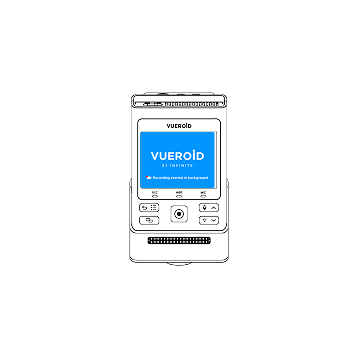
Once the firmware upgrade is complete, the device will automatically restart. You can then continue using the device.
*Firmware updates are available via the VUEROID HUB App and are processed automatically once the device is connected.

For S1


For D40, D21, D20, D10
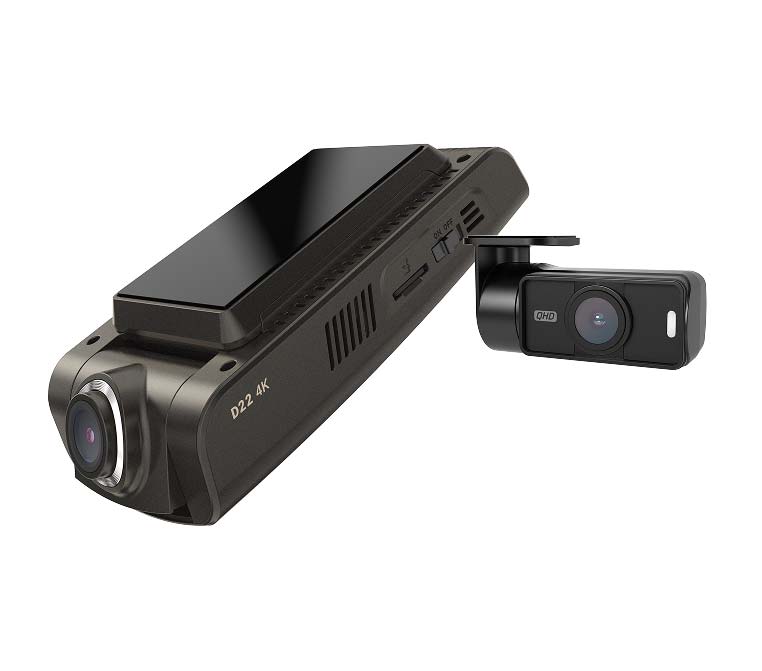 D22-4K
Sorry, no reviews match your current selections









![VUEROID DASHCAM: Introduce D21 4K [Full Ver.]](https://img.youtube.com/vi/OxaYcXw_ZiQ/mqdefault.jpg)
![[VUEROID D21 LTE FHD] 04. How to Register your device to the cloud via SIM card](https://img.youtube.com/vi/7jYPSCIc0oY/mqdefault.jpg)
![[VUEROID D21 LTE FHD] 03. How to Register your device to the cloud via Hotspot](https://img.youtube.com/vi/AVerlan2myU/mqdefault.jpg)
![[VUEROID D21 LTE FHD] 02. How to Sign up Cloud Account](https://img.youtube.com/vi/SxznSFs3Ve0/mqdefault.jpg)
![[VUEROID D21 LTE FHD] 01. How to connect Cloud App via Wi Fi](https://img.youtube.com/vi/lAx3PNIiQKg/mqdefault.jpg)