

Hardwiring Cable For Dash Cam
Safe, reliable power connection for your dash cam

Safe, reliable power connection for your dash cam
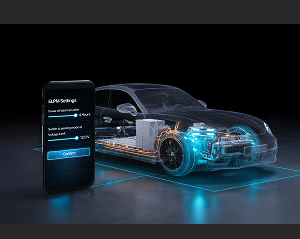
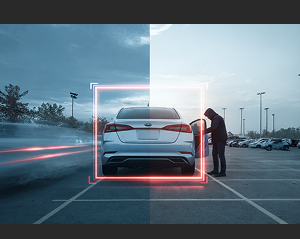
Keep your parked car under surveillance for longer with the hardwire cable.




 Recommended Installation with Fuse Tap
For optimal performance and a more secure connection, we recommend using the VUEROID fuse tap set when installing the hardwire cable.
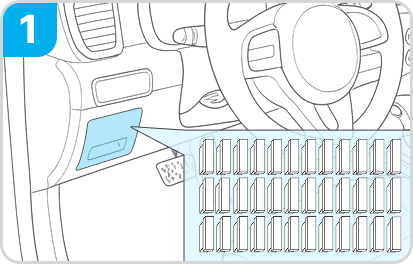
With the vehicle completely powered off, locate the vehicle’s fuse box.
※ Note: The location of the fuse box may vary depending on the vehicle model.
For the exact location, refer to the vehicle’s manual or consult the vehicle manufacturer.
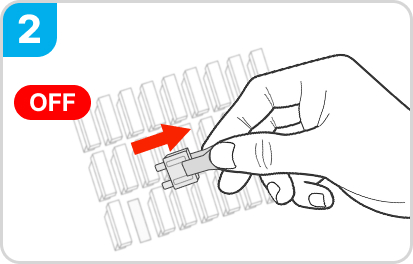
Identify the constant power (BAT) and ACC terminals in the fuse box, then carefully remove the fuses from each terminal.
※ If a fuse in the vehicle’s fuse box has already been used to install a dashcam with
the VUEROID Hardwire cable, you may reuse that fuse.
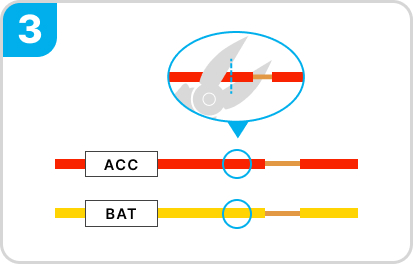
To use the fuse tap, cut the hardwire cable only up to the point where the insulation is still covering it.
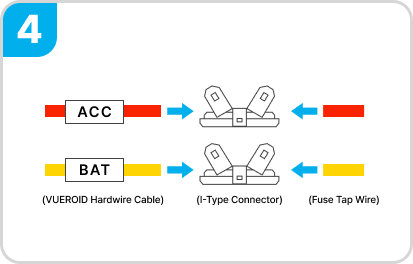
Insert the red and yellow wires of the VUEROID hardwire cable into the I-type connector, matching each color with its fuse tap. Then crimp firmly using a crimping plier.

Insert the removed fuses into the fuse holders, distinguishing ACC (red wire) and BAT (yellow wire).
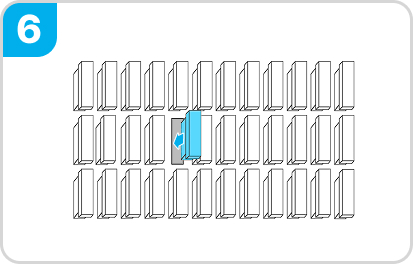
Insert the ACC fuse tap (red) into the ACC terminal, and the BAT fuse tap (yellow) into the BAT terminal.
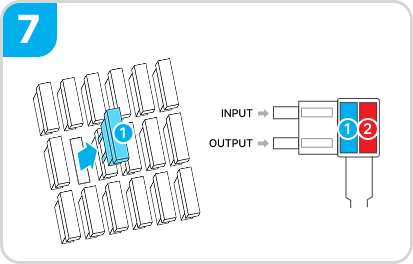
Use a tester to confirm the power direction. The INPUT side of the fuse holder must connect to the vehicle’s power supply.
※ Do not reverse the INPUT/OUTPUT direction.

After installation, switch the dashcam power to ON, start the vehicle, and confirm that the dashcam turns on and records normally.
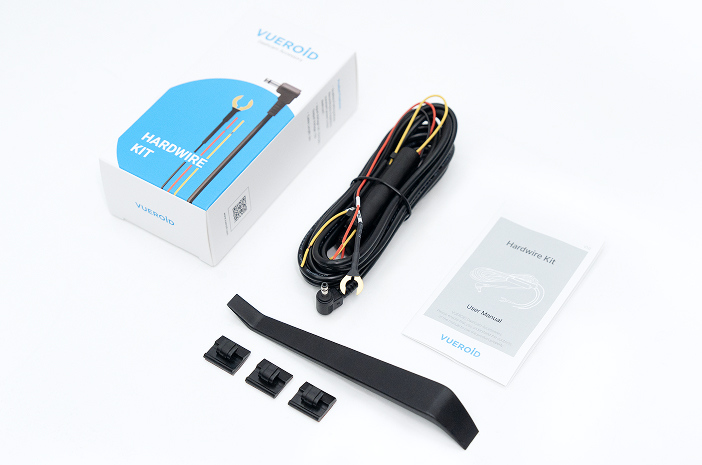
Hardwiring Cable 1ea
Trim Tool 1ea
Cable Clip 3ea
User Manual 1ea
ACC_DEC_ Rear Camera 6m Cable

ACC_DEC_CPL Filter